


Inbound Email Actions
On this page
In this lesson, you will learn:
- What inbound email actions do
- How ServiceNow tells new emails from replies
- How to build one that creates an incident
1 Emails that create and update records
Riya emails [email protected]: “My laptop won’t start.” A few seconds later, there’s a new incident. When she replies to the email she gets back, her reply lands in the incident’s comments. 📧 That’s inbound email actions at work.
Key term: Inbound email action
A rule that decides what to do with an incoming email, like create a record or update one. Find them in System Policy > Email > Inbound Actions.
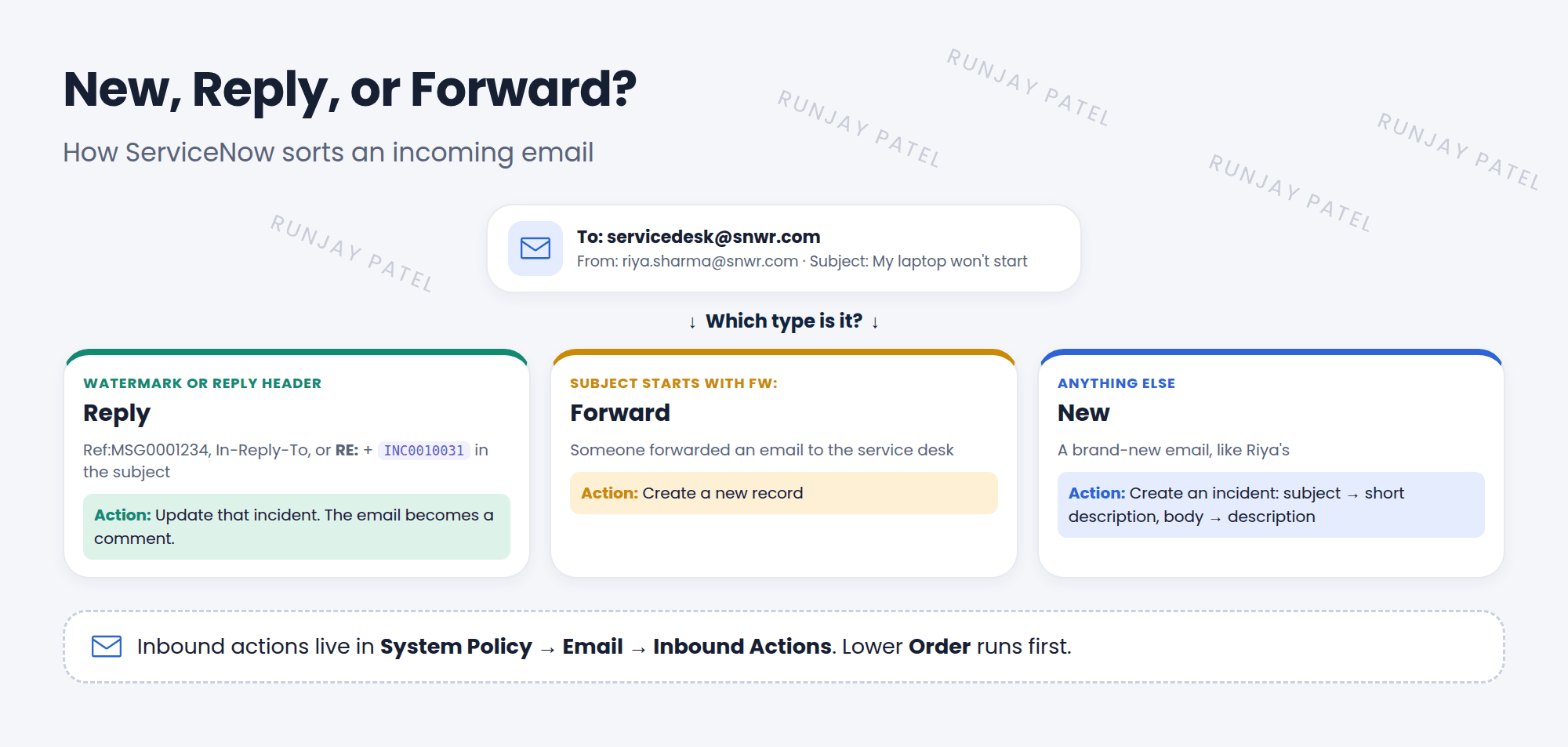
2 New, Reply, or Forward?
| Type | How ServiceNow knows | Usual action |
|---|---|---|
| Reply | It finds a watermark (like Ref:MSG0001234), an In-Reply-To header, or a reply prefix (RE:) plus a record number in the subject | Update that record |
| Forward | The subject starts with a forward prefix, like FW: | Create a record |
| New | Anything else | Create a record |
3 Key fields and the email object
- Target table: which table to create or update, like Incident.
- Type: New, Reply, or Forward. Action type: usually Record Action.
- Order and Stop processing: lower order runs first. Stop processing means no other actions run after this one.
- Conditions: like “Subject contains laptop”.
// Type: New, Target table: Incident
current.caller_id = gs.getUserID();          // the sender, if they're a user
current.short_description = email.subject;
current.description = email.body_text;
current.contact_type = 'email';
current.insert();
📝 Note: The email object holds the message: email.subject, email.body_text, email.from, and more. ServiceNow already includes inbound actions for incidents. Look at them before building your own!
⚠️ Heads up: Your instance must be allowed to receive email (check System Properties > Email Properties). If an email doesn’t create anything, look in System Logs > Emails for the email and its log.
⭐ Remember: Inbound action = Type (New / Reply / Forward) + Target table + Conditions + Script. Use email.subject and email.body_text.
4 Let’s try it: look under the hood
- Open System Policy > Email > Inbound Actions. Find Create Incident and Update Incident.
- Open each one. Which Type is it? Which fields does its script set?
- Open System Logs > Emails and filter for Type is received. Open one and look at its log to see which action ran.
5 Quick recap
- Inbound email actions turn emails into records or updates
- Emails are sorted as New, Reply, or Forward
- Replies are matched by a watermark, an In-Reply-To header, or RE: plus a record number
- Scripts use the
emailobject andcurrent - Check System Logs > Emails when something doesn’t work
6 Check yourself
Think of your answer first. Then tap to check.
1 How does ServiceNow know an email is a reply? Show answer
It finds a watermark, an In-Reply-To header, or a reply prefix (RE:) plus a record number in the subject.
2 Which property holds the email’s subject in a script? Show answer
email.subject
3 What does Stop processing do? Show answer
It stops any other inbound actions from running after this one.
Nice work! You finished this lesson. 🎉
Was this lesson helpful?
Please log in to share lesson feedback.
Have a question or doubt?
Ask here and get help from instructors and fellow learners.
Only logged-in learners can post.





