


CSDM Basics
On this page
In this lesson, you will learn:
- What CSDM is, and why ServiceNow recommends it
- The key building blocks of CSDM
- How they connect, from business to technology
1 A shared way to describe services
Every company could organize its CMDB differently. That makes products, reports, and upgrades hard. So ServiceNow gives a recommended model: the Common Service Data Model, or CSDM. 📐
Key term: CSDM
Common Service Data Model. ServiceNow’s standard way to structure services, applications, and CIs in the CMDB, so every product can use the same data.
2 The key building blocks
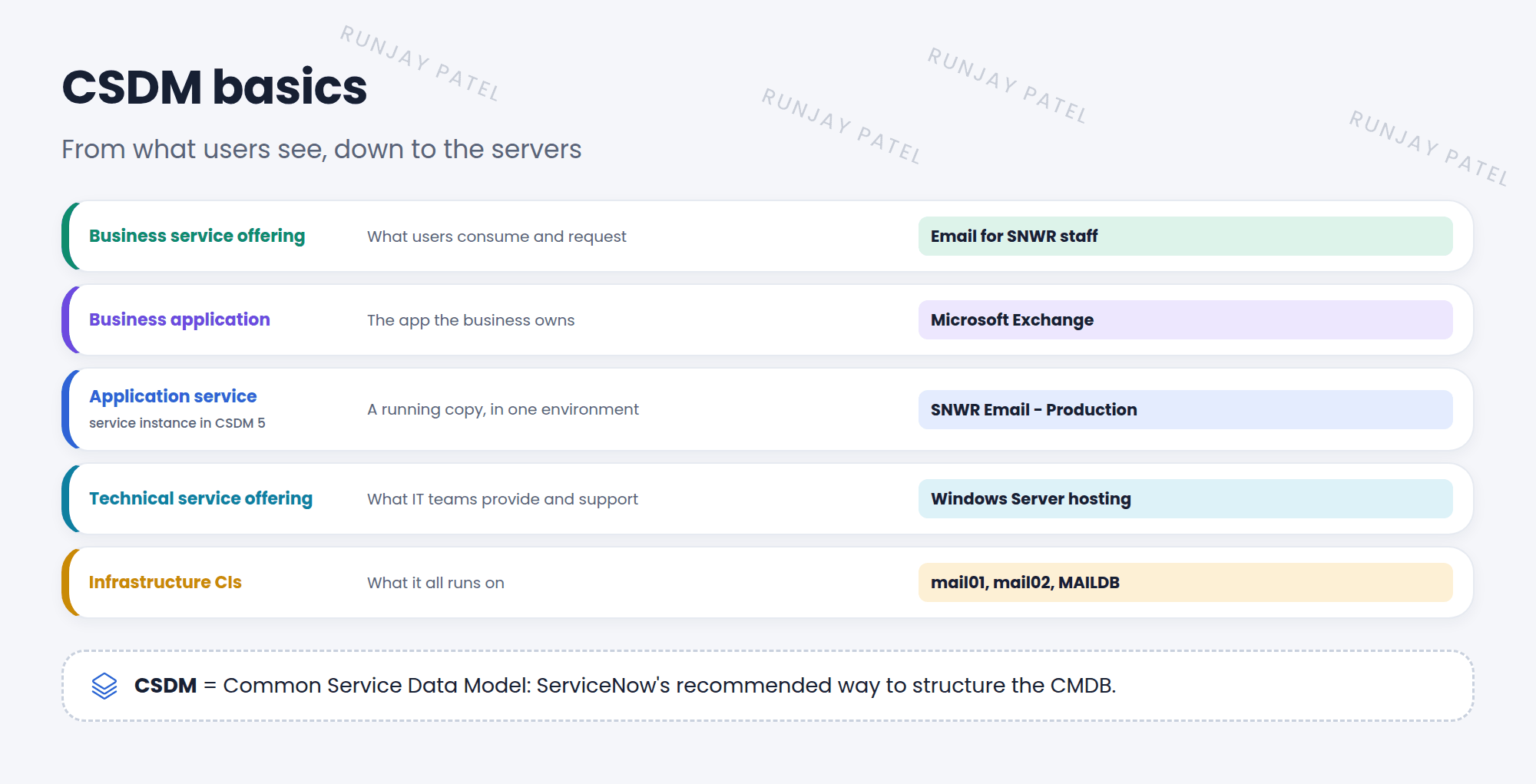
| Building block | Answers | SNWR example |
|---|---|---|
| Business application | What software does the business own? | Microsoft Exchange |
| Application service (service instance in CSDM 5) | Which running copy, in which environment? | SNWR Email – Production |
| Business service & offering | What do users consume or request? | Email for SNWR staff |
| Technical service & offering | What do IT teams provide and support? | Windows Server hosting |
| Infrastructure CIs | What does it all run on? | mail01, mail02, MAILDB |
💡 Good to know: Why bother? When an incident points to the SNWR Email service, ServiceNow knows who supports it, what it runs on, and which users are affected. It all comes from these links.
📝 Note: CSDM has versions. CSDM 5 is the latest, and it renamed some things (for example, application service became service instance). You’ll still see older names in many instances. Start small: most companies begin with business applications and application services.
⭐ Remember: CSDM = ServiceNow’s recommended CMDB structure. Business app → running service → offerings → infrastructure CIs.
3 Let’s try it: find CSDM tables
- Type
cmdb_ci_business_app.listin the filter navigator. Are there business applications in your PDI? - Try
cmdb_ci_service_business.listfor business services, andservice_offering.listfor offerings. - Open one. Look at its related items. What does it connect to?
4 Quick recap
- CSDM is ServiceNow’s recommended way to structure the CMDB
- Business application = what the business owns
- Application service (service instance) = a running copy of it
- Business and technical services and offerings = what users consume and what IT provides
- Infrastructure CIs = what it runs on
5 Check yourself
Think of your answer first. Then tap to check.
1 What does CSDM stand for? Show answer
Common Service Data Model.
2 “SNWR Email – Production” is a running copy of Exchange. Which building block is it? Show answer
An application service (called a service instance in CSDM 5).
3 Why follow CSDM instead of your own design? Show answer
ServiceNow products, reports, and upgrades expect it, so your data works everywhere.
Nice work! You finished this lesson. 🎉
Was this lesson helpful?
Please log in to share lesson feedback.
Have a question or doubt?
Ask here and get help from instructors and fellow learners.
Only logged-in learners can post.





