


Before & After Rules
On this page
In this lesson, you will learn:
- When before and after business rules run
- What each one is good for
- Why you don’t call current.update() in them
1 Before or after the save
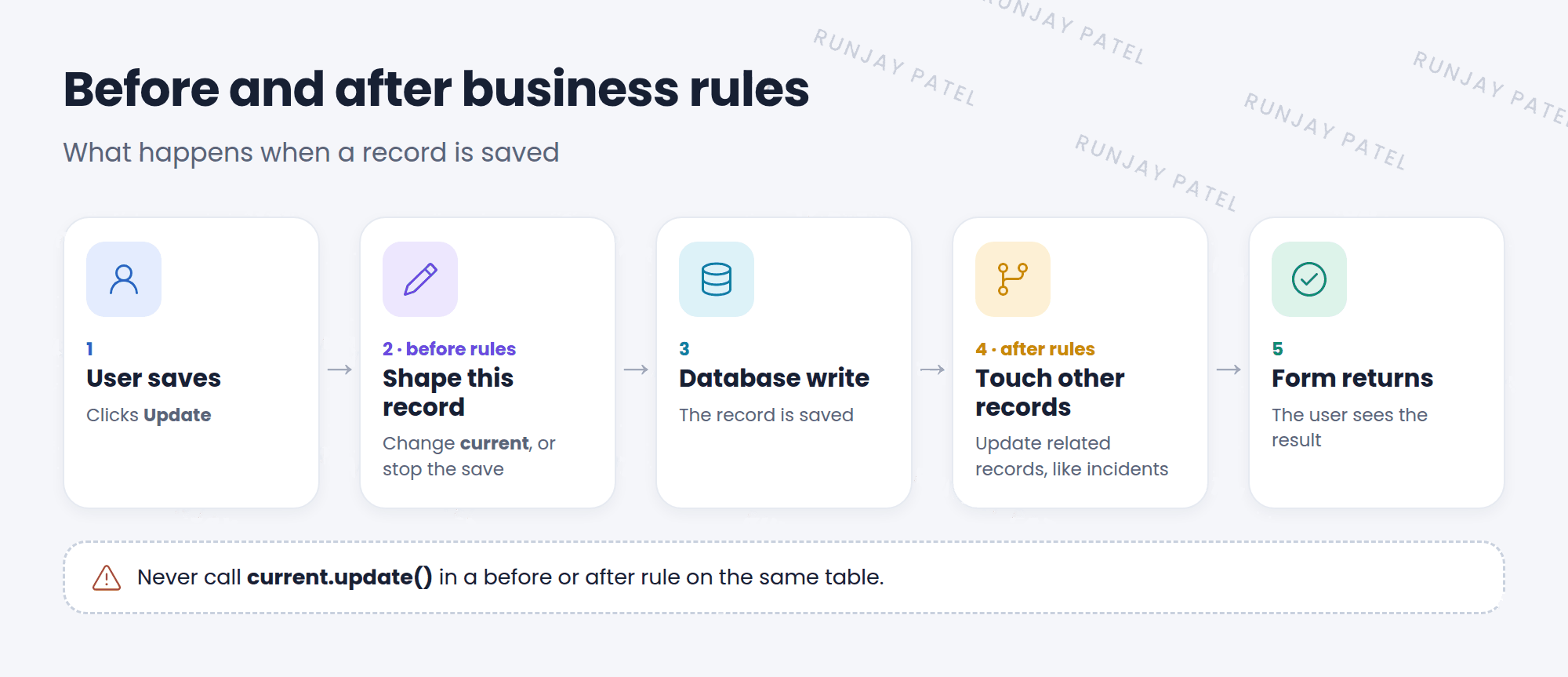
When someone saves a record, ServiceNow writes it to the database. A business rule can run just before that write, or just after. That timing changes what the rule should do. ⏱️
2 Before rules
A before rule runs before the database write. Any change you make to current is saved automatically. No extra save needed!
// before insert: tag network incidents
(function executeRule(current, previous) {
  if (current.category == 'network') {
    current.assignment_group.setDisplayValue('Network');
  }
})(current, previous);
Before rules can also stop a save:
if (current.short_description.nil()) {
  gs.addErrorMessage('Short description is required.');
  current.setAbortAction(true);
}
3 After rules
An after rule runs once the record is saved. Use it to update other records.
// after update on problem: note the fix on linked incidents
(function executeRule(current, previous) {
  var inc = new GlideRecord('incident');
  inc.addQuery('problem_id', current.sys_id);
  inc.addActiveQuery();
  inc.query();
  while (inc.next()) {
    inc.work_notes = 'Problem ' + current.number + ' was updated.';
    inc.update();
  }
})(current, previous);| Before | After | |
|---|---|---|
| Runs | Before the database write | After the database write |
| Best for | Changing this record, checking values, stopping the save | Changing other records |
| Needs current.update()? | No (it’s saved automatically) | No (don’t touch this record again) |
⚠️ Heads up: Never call current.update() in a before or after rule on the same table. It saves the record again, which runs the rules again, and can loop or cause duplicate work.
⭐ Remember: Before = change this record. After = change other records. No current.update()!
4 Let’s try it: auto-assign network incidents
- Create a business rule on Incident: SNWR route network. When: before. Insert: checked.
- Filter Conditions: Category is Network. Check Advanced.
- In the script, set the assignment group to a group in your instance (use its name in
setDisplayValue()). Submit. - Create a network incident with no group. Save. Is the group filled in?
5 Quick recap
- Before rules run before the save and can change or stop it
- After rules run after the save and update other records
current.setAbortAction(true)stops a save (in before rules)- Don’t call
current.update()in before or after rules
6 Check yourself
Think of your answer first. Then tap to check.
1 You want to fill in a field on the record being saved. Before or after? Show answer
Before.
2 You want to update child incidents when a problem changes. Before or after? Show answer
After.
3 How does a before rule stop a save? Show answer
current.setAbortAction(true)
Nice work! You finished this lesson. 🎉
Was this lesson helpful?
Please log in to share lesson feedback.
Have a question or doubt?
Ask here and get help from instructors and fellow learners.
Only logged-in learners can post.





