


onSubmit & onCellEdit
On this page
In this lesson, you will learn:
- How onSubmit scripts check a form before saving
- How to stop a save with return false
- How onCellEdit scripts control list editing
1 onSubmit: the last check
An onSubmit script runs when the user clicks Save, Update, or Submit. It’s your last chance to check the form before it goes to the server. 🚦
If the script returns false, the save is stopped.
function onSubmit() {
  var state = g_form.getValue('state');
  var notes = g_form.getValue('close_notes');

  if (state == '6' && notes == '') {   // 6 = Resolved
    g_form.addErrorMessage('Please add resolution notes before resolving.');
    return false;   // stop the save
  }
  return true;
}
💡 Good to know: g_form.getActionName() tells you which button was clicked, so you can check only on certain actions.
2 onCellEdit: guarding list edits
People can also change values by double-clicking a cell in a list. Form scripts don’t run there. An onCellEdit script does.
function onCellEdit(sysIDs, table, oldValues, newValue, callback) {
  var saveAndClose = true;
  if (newValue == '7') {   // 7 = Closed
    alert('Please close incidents from the form.');
    saveAndClose = false;
  }
  callback(saveAndClose);  // true = save, false = cancel
}| Parameter | What it holds |
|---|---|
sysIDs |
The sys_ids of the records being edited (several if many rows are selected) |
table |
The table name |
oldValues |
The old values |
newValue |
The new value |
callback |
Call it with true to save, or false to cancel |
⚠️ Heads up: Client scripts only protect the browser. Imports and integrations skip them. For rules that must always hold, use a data policy or a business rule too.
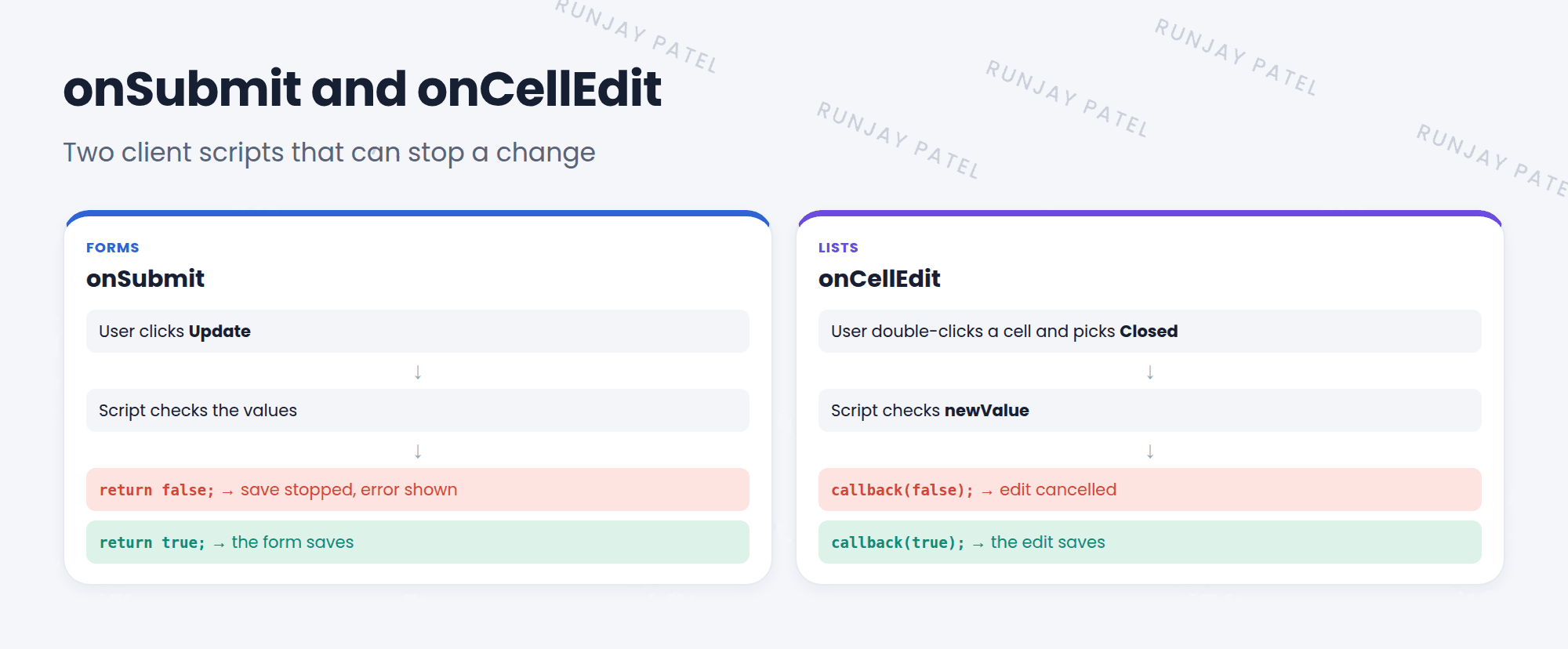
⭐ Remember: onSubmit: return false stops the save. onCellEdit: callback(false) cancels the edit.
3 Let’s try it: require notes
- Create a client script on Incident. Type: onSubmit. Paste the onSubmit example. Submit.
- Open an incident. Set State to Resolved, leave Resolution notes empty, and click Update. What happens?
- Create another client script. Type: onCellEdit. Field name: State. Paste the onCellEdit example.
- In the incident list, double-click a State cell and pick Closed. Was the edit cancelled?
4 Quick recap
- onSubmit runs when the form is saved
return falsein onSubmit stops the save- onCellEdit runs when someone edits a list cell
callback(false)in onCellEdit cancels the edit- Client scripts don’t protect imports or integrations
5 Check yourself
Think of your answer first. Then tap to check.
1 How does an onSubmit script stop a save? Show answer
It returns false.
2 Which client script type runs when you edit a cell in a list? Show answer
onCellEdit.
3 In onCellEdit, what do you call to save the change? Show answer
callback(true).
Nice work! You finished this lesson. 🎉
Was this lesson helpful?
Please log in to share lesson feedback.
Have a question or doubt?
Ask here and get help from instructors and fellow learners.
Only logged-in learners can post.





