


App Engine Studio Basics
On this page
In this lesson, you will learn:
- What App Engine Studio is
- The four building areas of an app
- How to start a simple app
1 Build apps without heavy coding
SNWR Facilities wants a small app to track equipment loans. They don’t need a full developer team. App Engine Studio (AES) lets admins and approved makers build scoped apps with guided, low-code steps. 🛠️
Key term: App Engine Studio
A low-code workspace for building scoped apps step by step: data, experiences, logic, and security. Open it from All > App Engine Studio.
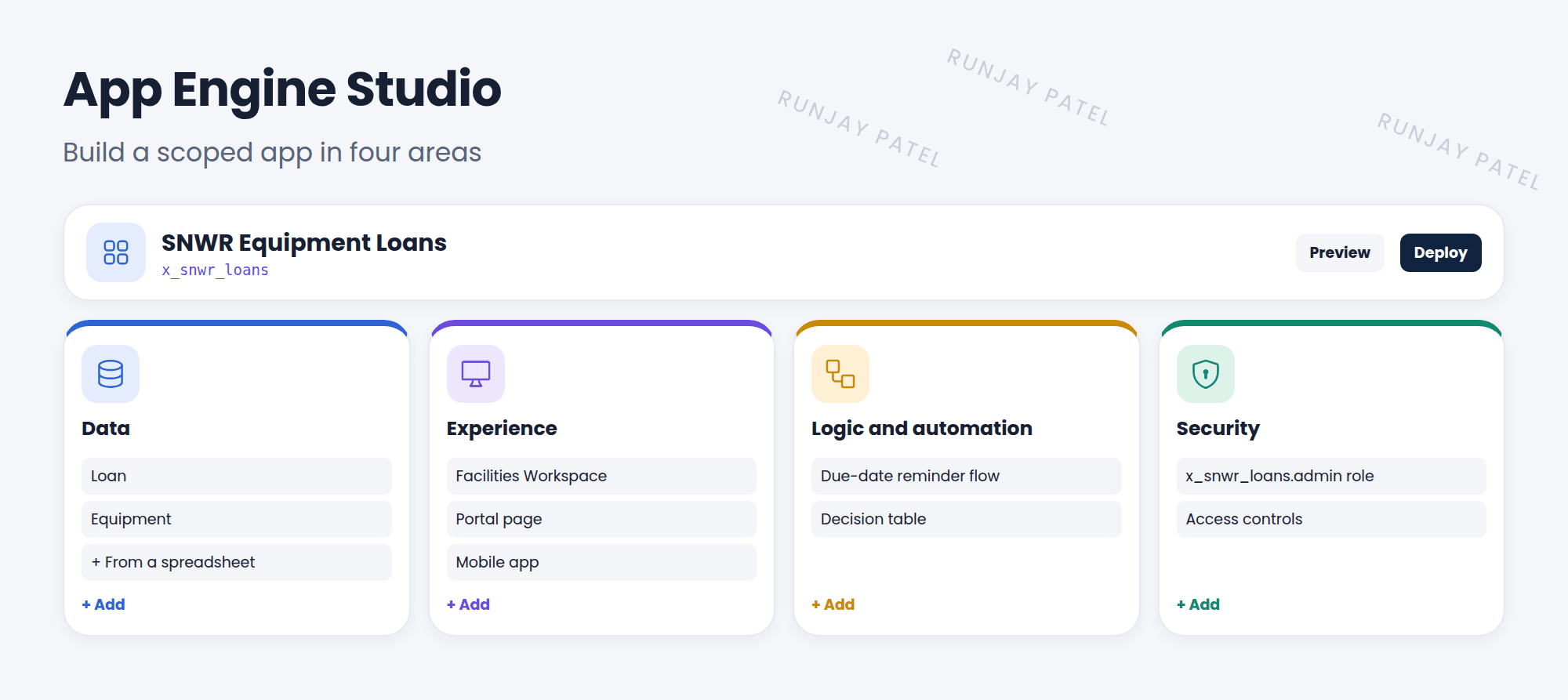
2 The four building areas
| Area | What you add | Equipment Loans example |
|---|---|---|
| Data | Tables and fields. You can even start from a spreadsheet | Loan (who, what, due date), Equipment |
| Experience | How people use it: workspace, portal, or mobile | A workspace for the Facilities team |
| Logic and automation | Flows, subflows, and decision tables | Email a reminder the day before a loan is due |
| Security | Roles and access controls | Only Facilities can edit loans |
3 Starting an app
- Open App Engine Studio and click Create app.
- Start from a template or from scratch. Give it a name, like SNWR Equipment Loans.
- AES creates the scope (like
x_snwr_loans) and opens the app home. - Add data, then an experience, then logic, then security.
📝 Note: Behind the scenes, AES creates the same things you’ve learned about: tables, forms, flows, roles, and ACLs, all inside the app’s scope. Pro developers can open the same app in developer tools, like ServiceNow Studio.
💡 Good to know: Admins can govern AES with the App Engine Management Center: who can build, which templates are allowed, and how apps move to production.
⭐ Remember: AES = low-code scoped apps. Four areas: Data, Experience, Logic and automation, Security.
4 Let’s try it: your first AES app
- In your PDI, open App Engine Studio and click Create app.
- Name it SNWR Equipment Loans. What scope name does it get?
- Under Data, add a table called Loan with fields: Borrower (reference to User), Item (string), Due date (date).
- Click Preview. Can you create a loan record?
5 Quick recap
- App Engine Studio builds scoped apps with low code
- Four areas: Data, Experience, Logic and automation, Security
- Start from a template or from scratch
- The App Engine Management Center helps admins govern it
6 Check yourself
Think of your answer first. Then tap to check.
1 Are apps built in App Engine Studio global or scoped? Show answer
Scoped.
2 Which AES area would you use to send a reminder email? Show answer
Logic and automation (a flow).
3 Where do you add roles and access controls in AES? Show answer
The Security area.
Nice work! You finished this lesson. 🎉
Was this lesson helpful?
Please log in to share lesson feedback.
Have a question or doubt?
Ask here and get help from instructors and fellow learners.
Only logged-in learners can post.





