


Client-Side vs Server-Side
On this page
In this lesson, you will learn:
- What client side and server side mean
- Which script types run where
- Which helpers you can use on each side
1 Two places code can run
When you use ServiceNow, two computers are working: your browser and the ServiceNow server. Scripts run in one place or the other. Knowing which is the key to scripting. 🔑
Key term: Client side
Code that runs in the user’s browser. It can change the form the user sees, right away.
Key term: Server side
Code that runs on the ServiceNow server. It can read and change data in the database.
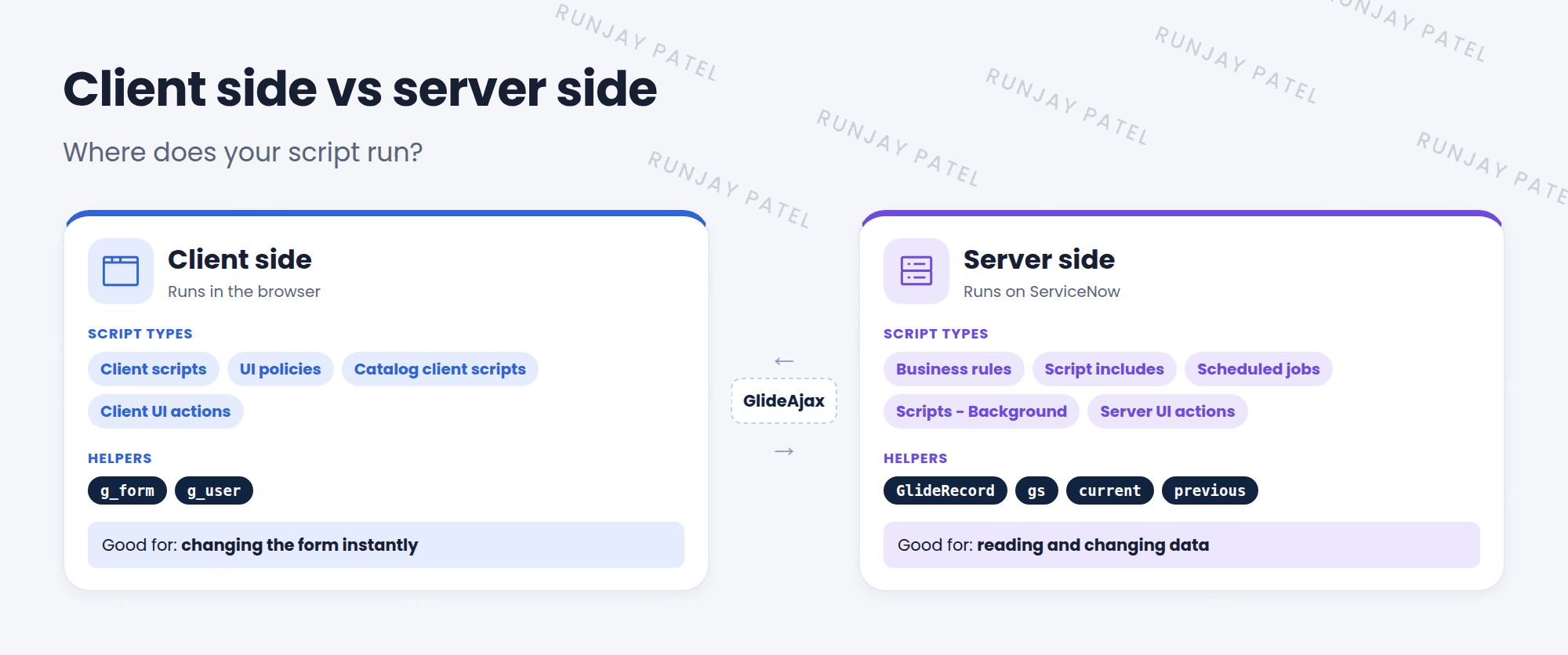
2 Which script runs where?
| Client side (browser) | Server side (ServiceNow) |
|---|---|
| Client scripts (Ch. 36) | Business rules (Ch. 39) |
| UI policies (Ch. 33) | Script includes (Ch. 40) |
| Catalog client scripts (Ch. 37) | Scheduled jobs, Scripts – Background |
| Client UI actions (Ch. 38) | Server UI actions (Ch. 38) |
3 Helpers on each side
| Helper | Side | What it does |
|---|---|---|
g_form |
Client | Reads and changes fields on the form |
g_user |
Client | Info about the logged-in user |
GlideRecord |
Server | Reads and writes records in the database |
gs |
Server | System helpers, like gs.info() and gs.getUserID() |
current, previous |
Server | The record being saved, and its old values (business rules) |
⚠️ Heads up: You can’t use a server helper on the client, or the other way around. g_form doesn’t exist in a business rule, and current doesn’t exist in a client script.
💡 Good to know: Need server data in a client script? Use GlideAjax to ask the server for it (Lesson 40.3). Every trip to the server takes time, so keep them few.
⭐ Remember: Client = browser, forms, g_form. Server = database, data, GlideRecord.
4 Let’s try it: sort the scripts
- Go to System Definition > Client Scripts. Open one. Look for
g_formin the script. - Go to System Definition > Business Rules. Open one. Look for
currentorGlideRecord. - Write down: which side does each one run on?
5 Quick recap
- Client side runs in the browser and changes forms
- Server side runs on ServiceNow and works with data
- Client helpers:
g_form,g_user - Server helpers:
GlideRecord,gs,current,previous - GlideAjax lets the client ask the server for data
6 Check yourself
Think of your answer first. Then tap to check.
1 Where does a business rule run? Show answer
On the server.
2 Which helper would you use to hide a field on a form? Show answer
g_form (client side).
3 Can a client script use GlideRecord to update records directly? Show answer
No, not as good practice. Use GlideAjax to call server-side code instead.
Nice work! You finished this lesson. 🎉
Was this lesson helpful?
Please log in to share lesson feedback.
Have a question or doubt?
Ask here and get help from instructors and fellow learners.
Only logged-in learners can post.





