


Number Maintenance
On this page
In this lesson, you will learn:
- How ServiceNow gives records numbers like INC0010001
- The parts of a number: prefix, number, and digits
- Where to change number settings, and what to be careful about
1 Where do numbers come from?
Every incident gets a number like INC0010001. Every change gets one like CHG0030005. ServiceNow makes these automatically, using number maintenance. 🔢
Key term: Number maintenance
The settings that decide how records in a table are numbered. Stored in the sys_number table.
2 The parts of a number
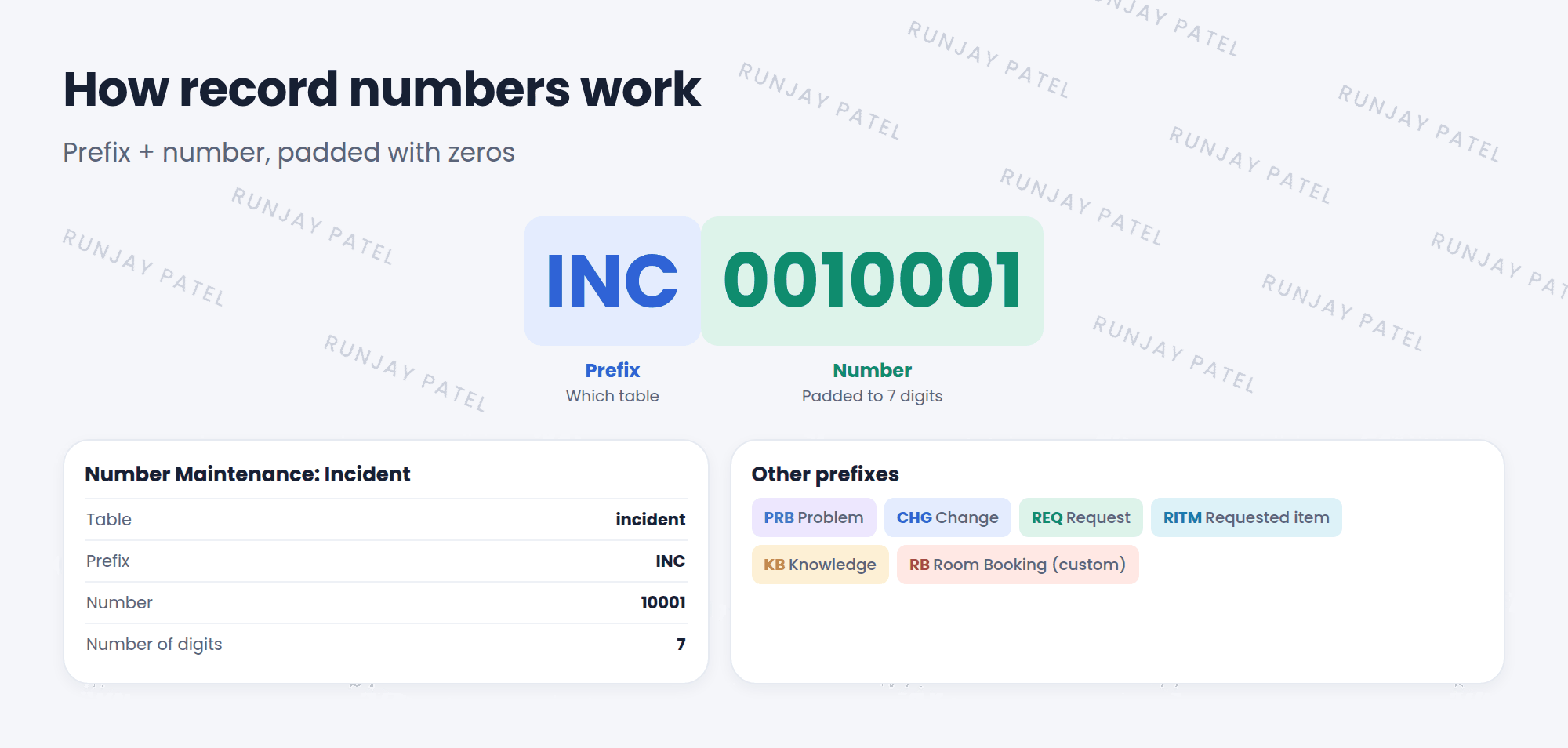
| Part | What it does | Example |
|---|---|---|
| Prefix | Letters that show the table | INC |
| Number | The next number to use | 10001 |
| Number of digits | How many digits, padded with zeros | 7 → 0010001 |
3 Common prefixes
- 🚨 INCIncident
- 🔍 PRBProblem
- 🔄 CHGChange request
- 🛒 REQRequest
- 📦 RITMRequested item
- 📚 KBKnowledge article
4 Changing number settings
- Go to System Definition > Number Maintenance.
- Open the record for the table, like Incident.
- Change the Prefix, Number, or Number of digits.
- Click Update. New records use the new settings.
⚠️ Heads up: Changing numbers doesn’t renumber old records. And never set the Number lower than what’s already used, or you can get duplicate numbers. Change these only when you really need to.
📝 Note: Child tables can have their own numbering. That’s why an incident gets INC, even though Task has its own prefix (TASK).
⭐ Remember: Number = prefix + number + digits. Managed in Number Maintenance (sys_number).
5 Let’s try it: check the numbers
- Open System Definition > Number Maintenance.
- Find the records for Incident, Problem, and Change. What are their prefixes and digits?
- Find your Room Booking table from Lesson 29.3. Is its prefix RB?
6 Quick recap
- ServiceNow numbers records automatically
- A number = prefix + number, padded to a set number of digits
- Settings live in Number Maintenance (
sys_number) - Changes don’t renumber old records. Never go lower than numbers already used
7 Check yourself
Think of your answer first. Then tap to check.
1 In CHG0030005, what is the prefix? Show answer
CHG.
2 Where do you change how incidents are numbered? Show answer
System Definition > Number Maintenance.
3 You change the incident prefix. What happens to old incidents? Show answer
Nothing. They keep their old numbers. Only new records use the new prefix.
Nice work! You finished this lesson. 🎉
Was this lesson helpful?
Please log in to share lesson feedback.
Have a question or doubt?
Ask here and get help from instructors and fellow learners.
Only logged-in learners can post.





