


Script Include Basics
On this page
In this lesson, you will learn:
- What a script include is, and why it helps
- The key fields on a script include
- The two common styles: class and function
1 Write it once, use it everywhere
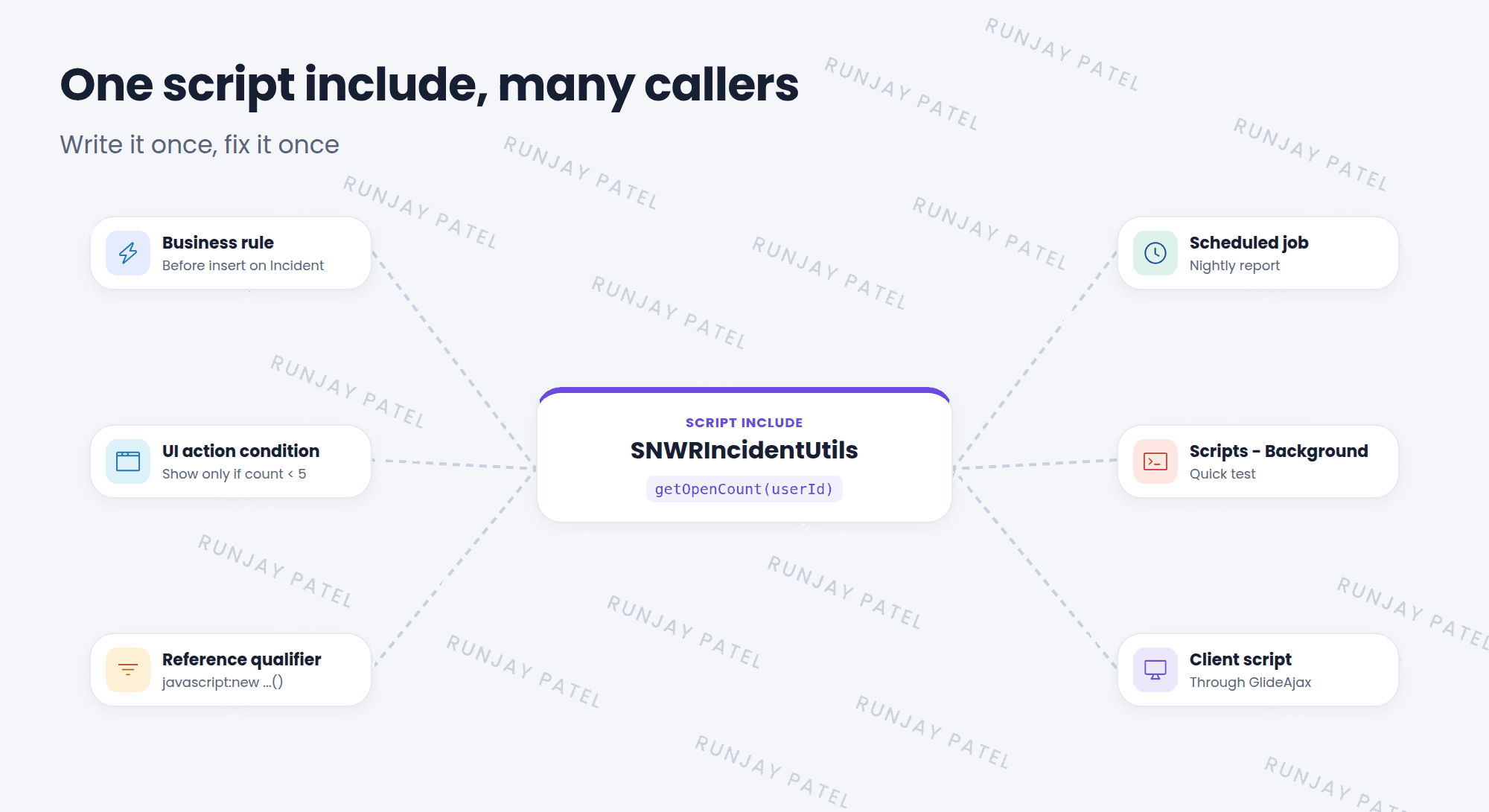
Imagine five business rules that all count a user’s open incidents. If the logic changes, you’d have to fix it five times! 😩 A script include holds that code in one place, so everything else can call it.
Key term: Script include
Reusable server-side JavaScript. It only runs when something calls it. Find them in System Definition > Script Includes.
2 Key fields
| Field | What it does |
|---|---|
| Name | Must match the class or function name in the script, like SNWRIncidentUtils |
| API Name | The full name, including the scope, like global.SNWRIncidentUtils |
| Client callable | Lets client scripts call it with GlideAjax (Lesson 40.3) |
| Accessible from | This application scope only, or All application scopes |
| Active | Turns it on or off |
3 Style 1: a class (most common)
var SNWRIncidentUtils = Class.create();
SNWRIncidentUtils.prototype = {
  initialize: function() {
  },

  getOpenCount: function(userId) {
    var ga = new GlideAggregate('incident');
    ga.addQuery('caller_id', userId);
    ga.addActiveQuery();
    ga.addAggregate('COUNT');
    ga.query();
    return ga.next() ? parseInt(ga.getAggregate('COUNT'), 10) : 0;
  },

  type: 'SNWRIncidentUtils'
};
A class can hold many methods, like a toolbox. ServiceNow fills in the frame for you when you type the Name.
4 Style 2: a single function
function snwrIsWeekend(dateValue) {
  var d = new GlideDateTime(dateValue);
  var day = d.getDayOfWeekLocalTime();   // 6 = Sat, 7 = Sun
  return day >= 6;
}
Good for one small helper. The Name must match the function name: snwrIsWeekend.
📝 Note: GlideAggregate is like GlideRecord, but for counts and sums. It’s faster than looping through every record just to count.
⚠️ Heads up: If the Name doesn’t match the class or function name exactly, callers get “not defined” errors.
⭐ Remember: Script include = reusable server code, loaded only when called. Name must match the class or function.
5 Let’s try it: build a toolbox
- Go to System Definition > Script Includes and click New.
- Name: SNWRIncidentUtils. Notice the script frame appears.
- Add the
getOpenCountmethod from Style 1. Submit. - You’ll call it in the next lesson!
6 Quick recap
- A script include is reusable server-side code
- It only loads when something calls it
- Two styles: a class with many methods, or a single function
- The Name must match the class or function name
- Client callable lets the browser use it with GlideAjax
7 Check yourself
Think of your answer first. Then tap to check.
1 Do script includes run on the client or the server? Show answer
The server.
2 Your script include’s class is SNWRUserUtils. What must the Name field be? Show answer
SNWRUserUtils.
3 Why use a script include instead of copying code into five business rules? Show answer
You write and fix it in one place, and every caller gets the change.
Nice work! You finished this lesson. 🎉
Was this lesson helpful?
Please log in to share lesson feedback.
Have a question or doubt?
Ask here and get help from instructors and fellow learners.
Only logged-in learners can post.





