


Coalescing & Transform Scripts
On this page
In this lesson, you will learn:
- What coalescing is, and how it stops duplicates
- How coalescing on several fields works
- When each transform script runs
1 Insert or update?
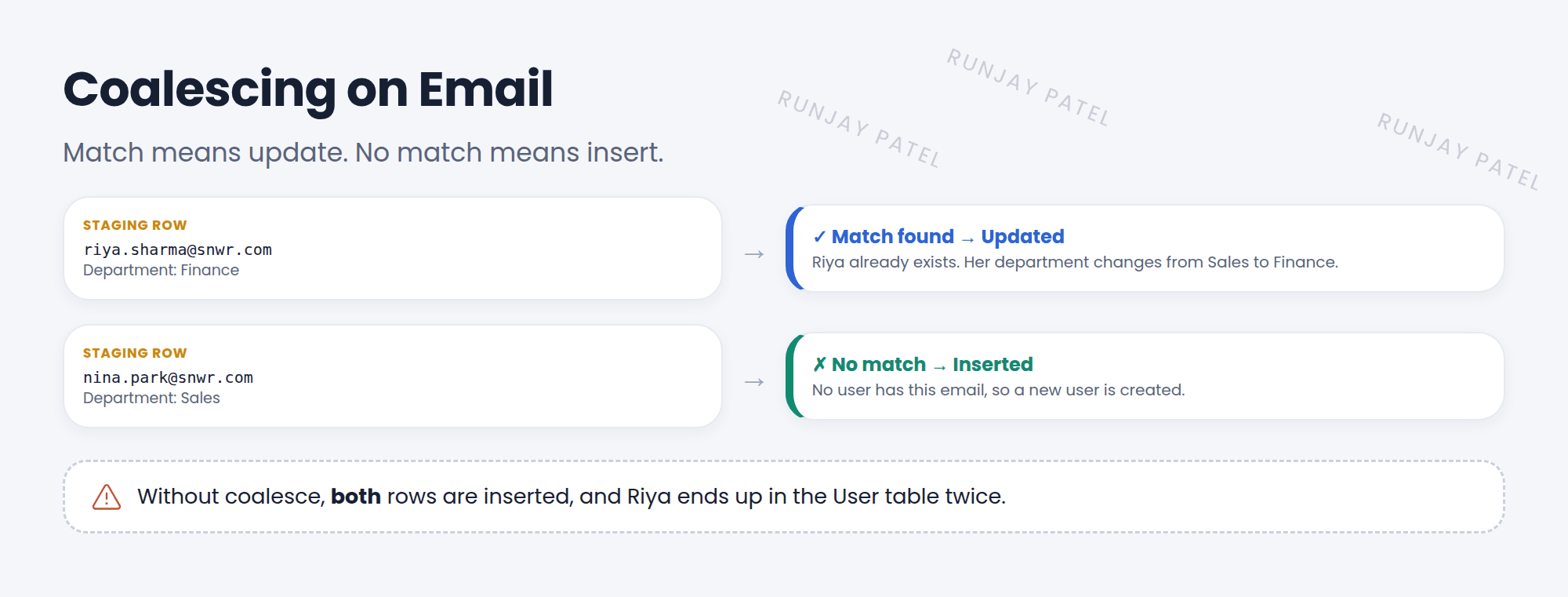
HR sends an updated new-hire file every week. Some people are new. Some changed departments. You want new people inserted and existing people updated, never duplicated. That’s coalescing. 🔗
Key term: Coalesce
A checkbox on a field map. It tells the transform to look for an existing target record with the same value. Found? Update it. Not found? Insert a new one.
2 Coalesce rules
| Setup | Result |
|---|---|
| No coalesce | Every row is inserted |
| One coalesce field (Email) | Match on Email: update. No match: insert |
| Several coalesce fields | All of them must match (AND) to update |
💡 Good to know: Coalesce on something unique and stable, like email, employee number, or serial number. Names are a bad choice. Two people can share a name!
3 Transform scripts
Sometimes mapping isn’t enough. Transform scripts let you add logic at different moments.
| Script | Runs | Example |
|---|---|---|
| onStart | Once, before the first row | Set up a counter |
| onBefore | Before each row is saved | Skip rows with no email |
| onAfter | After each row is saved | Add the new user to a group |
| onComplete | Once, after the last row | Log a summary |
| onChoiceCreate / onForeignInsert / onReject | When a choice or reference is created, or a row is rejected | Log or stop special cases |
// onBefore: skip rows without an email
(function runTransformScript(source, map, log, target) {
  if (source.u_email.nil()) {
    ignore = true;
    log.warn('Skipped a row with no email: ' + source.u_first_name);
  }
})(source, map, log, target);
📝 Note: In transform scripts, source is the staging row and target is the record being created or updated. Set ignore = true to skip one row, or error = true to stop the transform.
⭐ Remember: Coalesce = match, then update or insert. onStart / onBefore / onAfter / onComplete add logic.
4 Let’s try it: no more duplicates
- Open your transform map. On the u_email → Email field map, check Coalesce.
- Change one person’s department in your CSV. Add one new person.
- Load the file again and run the transform.
- Check Transform History. Do you see 1 update and 1 insert, and no duplicates?
5 Quick recap
- Coalesce matches rows to existing records: update or insert
- No coalesce means always insert
- Several coalesce fields must all match
- Transform scripts run onStart, onBefore, onAfter, and onComplete
ignore = trueskips a row
6 Check yourself
Think of your answer first. Then tap to check.
1 Coalesce is on Email. A row’s email matches an existing user. What happens? Show answer
That user is updated.
2 Which transform script runs once before any row? Show answer
onStart.
3 Why is “Full name” a bad coalesce field? Show answer
Names aren’t unique, so different people could be matched and overwritten.
Nice work! You finished this lesson. 🎉
Was this lesson helpful?
Please log in to share lesson feedback.
Have a question or doubt?
Ask here and get help from instructors and fellow learners.
Only logged-in learners can post.





