


Reverse If False & Order
On this page
In this lesson, you will learn:
- What Reverse if false does
- How On load changes when a policy runs
- How Order decides which policy wins
1 Reverse if false
Your policy makes Configuration item mandatory when Category is Network. But what if the agent changes Category back to Software? Should the field stay mandatory? 🤔
Key term: Reverse if false
When checked, the policy undoes its actions when the condition becomes false. Mandatory true becomes not mandatory, hidden becomes visible, and so on.
| Reverse if false is… | Category changes from Network to Software |
|---|---|
| Checked ✅ | Configuration item goes back to optional |
| Unchecked | Configuration item stays mandatory |
💡 Good to know: Most of the time, keep Reverse if false checked. It makes the form feel natural: change your mind, and the form changes back.
2 On load
- On load checked: the policy checks its condition when the form opens and whenever a field changes.
- On load unchecked: the policy only runs when a field changes after the form opens.
So with On load checked, opening an old Network incident shows Configuration item as mandatory right away.
3 Order: who wins?
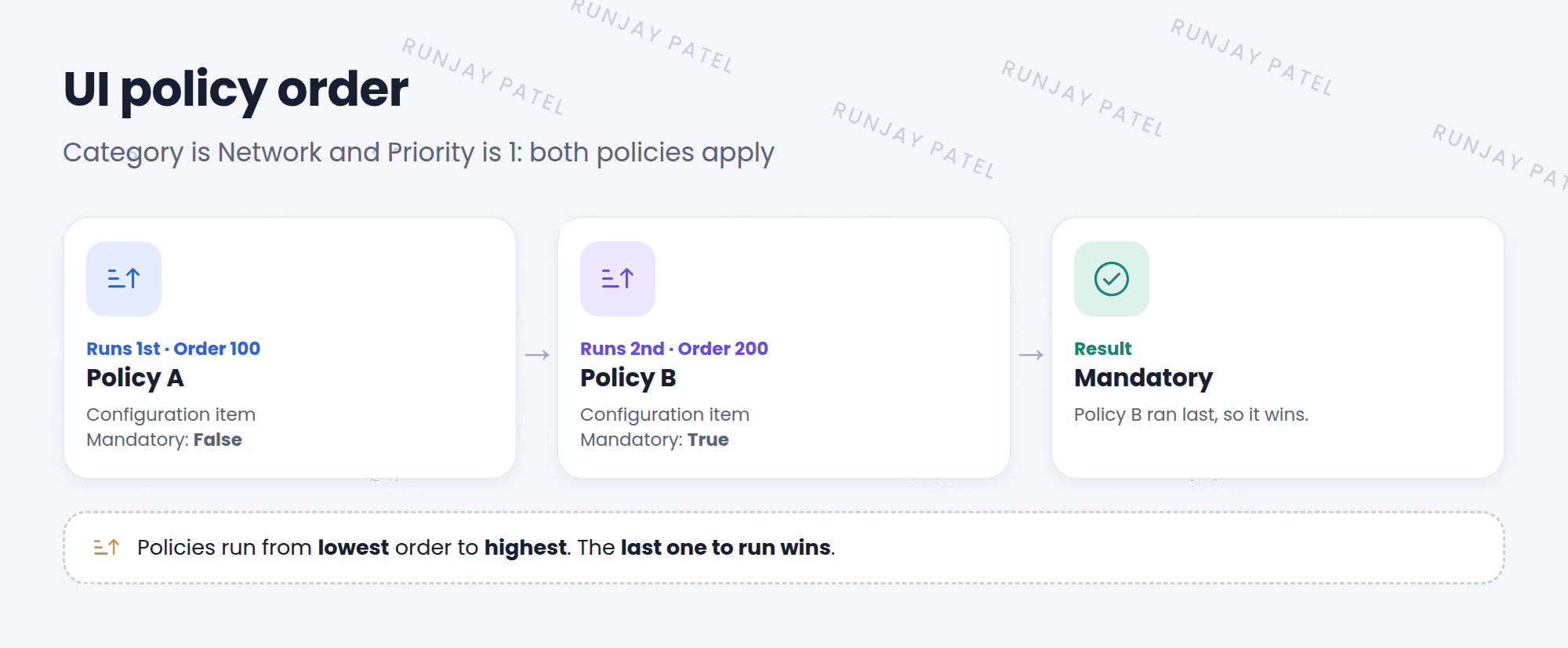
Sometimes two policies change the same field in different ways. The Order field decides what happens.
⚠️ Heads up: Two policies fighting over one field are hard to debug. Try to keep one policy in charge of each field when you can.
⭐ Remember: Reverse if false = undo when false. On load = also run when the form opens. Order = lowest runs first, highest wins.
4 Let’s try it: test the settings
- Open your Network needs a CI UI policy from Lesson 33.1.
- Open a new incident. Set Category to Network, then back to Software. Does Configuration item go back to optional?
- Now uncheck Reverse if false on the policy. Update. Repeat the test. What’s different?
- Check Reverse if false again when you’re done.
5 Quick recap
- Reverse if false undoes actions when the condition is false
- On load runs the policy when the form opens, too
- Order: lowest runs first, and the last one wins
- Keep one policy in charge of each field when you can
6 Check yourself
Think of your answer first. Then tap to check.
1 Reverse if false is unchecked. The condition becomes false. What happens to the actions? Show answer
Nothing. They stay applied.
2 Policy A has order 100 and Policy B has order 300. They change the same field. Which wins? Show answer
Policy B. It runs last.
3 On load is unchecked. Will the policy run when the form first opens? Show answer
No. It only runs when a field changes after the form opens.
Nice work! You finished this lesson. 🎉
Was this lesson helpful?
Please log in to share lesson feedback.
Have a question or doubt?
Ask here and get help from instructors and fellow learners.
Only logged-in learners can post.





