


Async & Display Rules
On this page
In this lesson, you will learn:
- What async business rules are, and why they help
- What display business rules do
- How g_scratchpad passes server data to client scripts
1 Async: don’t make the user wait
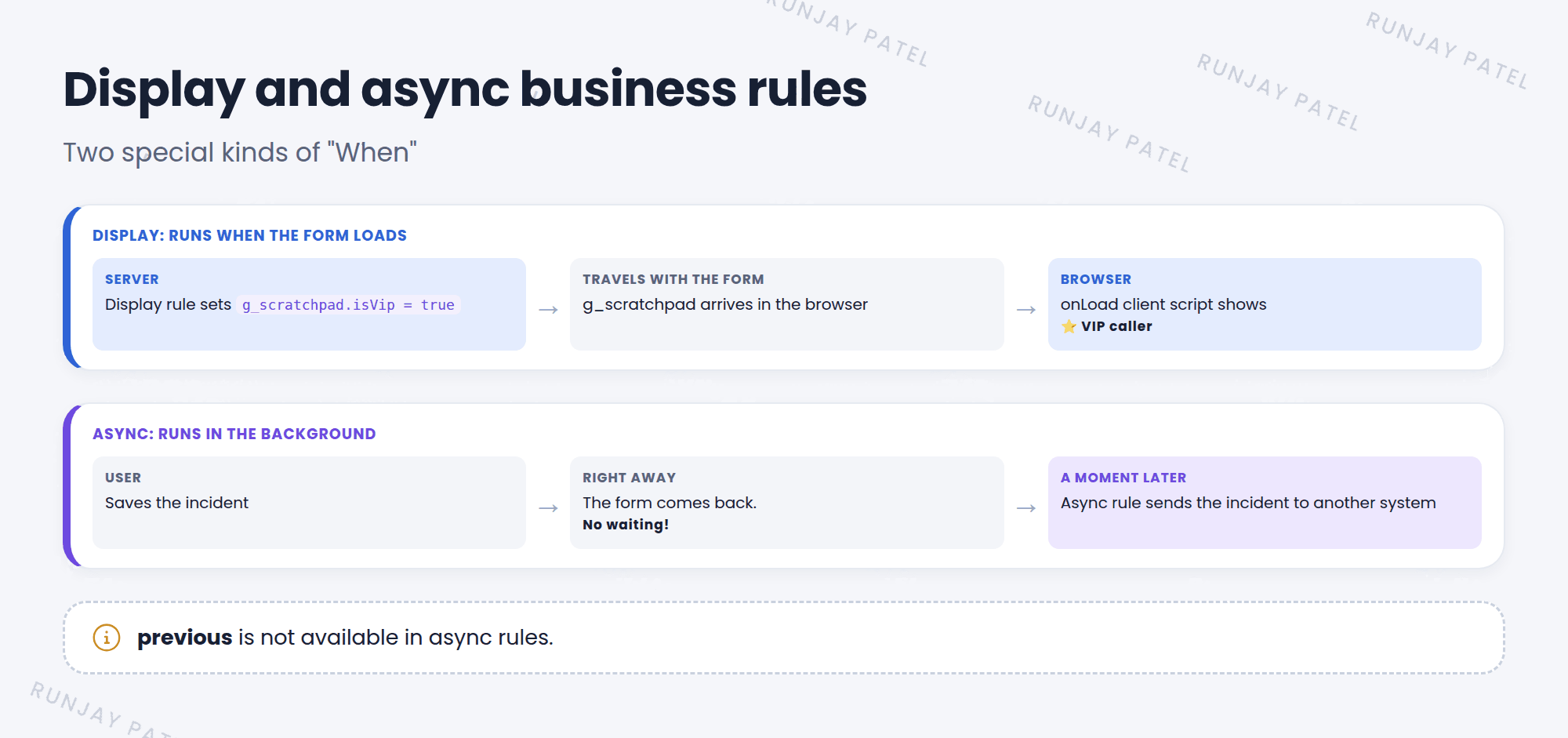
Some work is slow, like calling another system or doing heavy math. If an after rule does that, the user stares at a spinning icon. An async rule does the work in the background, so the user can move on. 🏃
Key term: Async business rule
A rule that runs after the save, but in the background, a moment later. The user doesn’t wait for it.
- Good for: sending data to other systems, heavy updates, calculations that aren’t needed right away.
previousis not available in async rules. By the time it runs, the old values are gone.- You’ll find queued async work as scheduled jobs in System Scheduler.
2 Display: prepare data for the form
Client scripts run in the browser. Sometimes they need data that only the server knows, like “Is the caller a VIP?” A display rule gets that data while the form is loading.
Key term: Display business rule
A rule that runs when a record is loaded to show on a form. It puts data into g_scratchpad for client scripts to use.
Display rule (server):
(function executeRule(current, previous) {
  g_scratchpad.isVip = current.caller_id.vip == true;
})(current, previous);
onLoad client script (browser):
function onLoad() {
  if (g_scratchpad.isVip) {
    g_form.addInfoMessage('⭐ VIP caller. Please give extra care.');
  }
}
💡 Good to know: g_scratchpad is much faster than calling the server from a client script. The data rides along with the form, with no extra trip.
⭐ Remember: Async = background, no previous. Display = runs on form load, fills g_scratchpad.
3 All four “When” values
| When | Runs | Typical use |
|---|---|---|
| before | Before the database write | Change or check this record |
| after | Right after the write | Update related records |
| async | After the write, in the background | Slow work, integrations |
| display | When a form loads the record | Fill g_scratchpad for client scripts |
4 Let’s try it: VIP message
- Make a user a VIP: open Riya Sharma‘s user record and check VIP (add the field to the form if needed).
- Create a business rule on Incident: When display. Check Advanced. Paste the display script.
- Create an onLoad client script on Incident. Paste the client script.
- Open an incident where Riya is the caller. Do you see the VIP message?
5 Quick recap
- Async rules run in the background after the save
previousisn’t available in async rules- Display rules run when a form loads
- Display rules pass data to client scripts with
g_scratchpad
6 Check yourself
Think of your answer first. Then tap to check.
1 You need to send data to an outside system after a save, without slowing the user. Which When? Show answer
async.
2 What object does a display rule use to send data to client scripts? Show answer
g_scratchpad.
3 Can an async rule use previous? Show answer
No. previous is null in async rules.
Nice work! You finished this lesson. 🎉
Was this lesson helpful?
Please log in to share lesson feedback.
Have a question or doubt?
Ask here and get help from instructors and fellow learners.
Only logged-in learners can post.





