


onLoad & onChange
On this page
In this lesson, you will learn:
- When onLoad and onChange scripts run
- The parameters of an onChange script
- Why the isLoading check matters
1 Two most common types
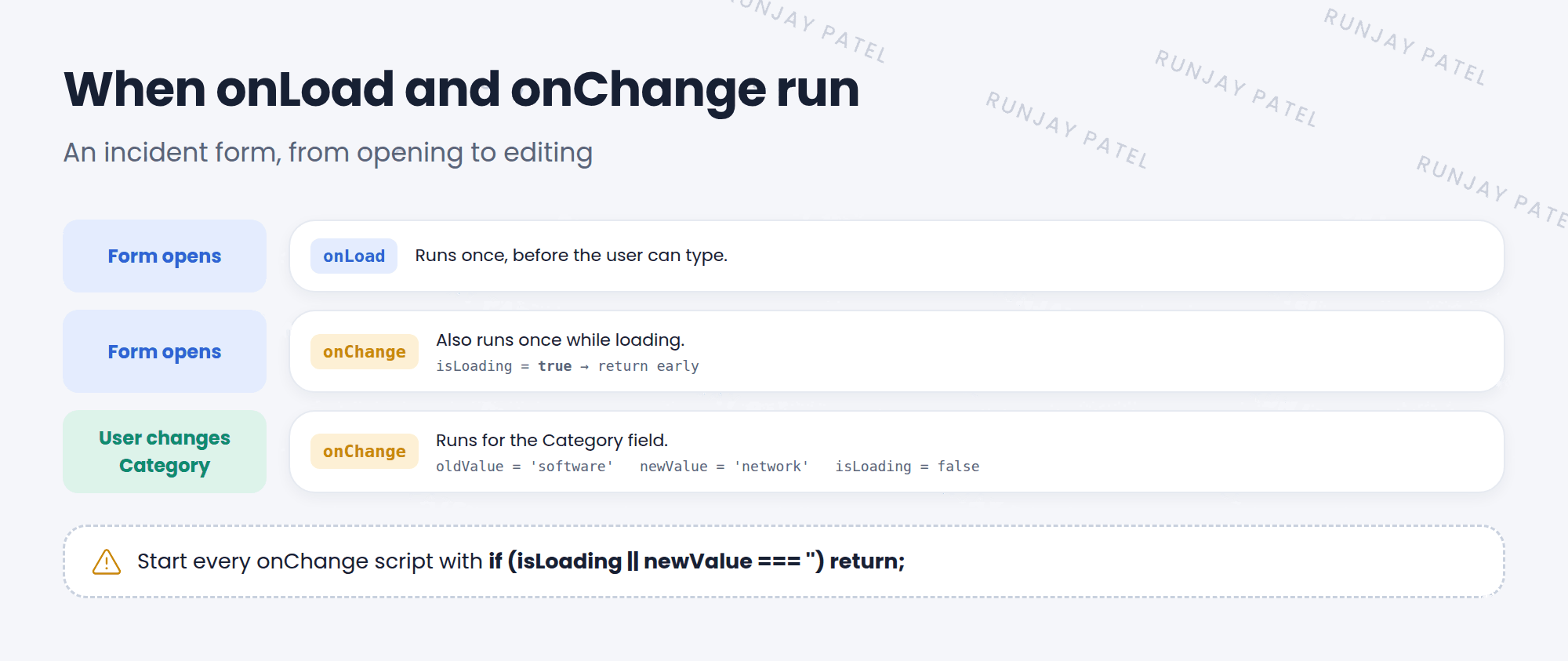
Most client scripts are onLoad or onChange. One runs when the form opens. The other runs when a field changes. 🔄
2 onLoad
An onLoad script runs when the form opens, before the user can type. Use it to set up the form.
function onLoad() {
  if (g_form.isNewRecord()) {
    g_form.addInfoMessage('Tip: pick a Category first.');
  }
}
💡 Good to know: Keep onLoad scripts short. Every onLoad script makes the form a little slower to open.
3 onChange
An onChange script watches one field (set in Field name). It runs when that field’s value changes.
function onChange(control, oldValue, newValue, isLoading, isTemplate) {
  if (isLoading || newValue === '') {
    return;   // do nothing while the form loads, or if cleared
  }
  if (newValue == 'network') {
    g_form.setValue('impact', '2');
    g_form.showFieldMsg('category', 'Impact set to Medium.', 'info');
  }
}| Parameter | What it holds |
|---|---|
control |
The field’s HTML element (rarely used) |
oldValue |
The value when the form loaded |
newValue |
The new value |
isLoading |
true while the form is still loading |
isTemplate |
true if a template changed the value |
⚠️ Heads up: onChange scripts also run once while the form loads. Without the isLoading check, your script might change values every time someone just opens a record!
⭐ Remember: onLoad = form opens. onChange = one field changes. Always start onChange with if (isLoading || newValue === '') return;
4 Let’s try it: Network means Medium impact
- Create a client script. Name: SNWR network impact. Table: Incident. Type: onChange. Field name: Category.
- Paste the onChange example above. Submit.
- Open a new incident. Set Category to Network. Did Impact change to 2 – Medium?
- Save it, then reopen it. Does the message show up again? (It shouldn’t, thanks to
isLoading.)
5 Quick recap
- onLoad runs once when the form opens
- onChange runs when one chosen field changes
- onChange gets
oldValue,newValue, andisLoading - Check
isLoadingso your script doesn’t run on load by mistake
6 Check yourself
Think of your answer first. Then tap to check.
1 Which type would you use to show a tip when a new form opens? Show answer
onLoad.
2 Where do you choose which field an onChange script watches? Show answer
The Field name field on the client script.
3 Why check isLoading in an onChange script? Show answer
onChange also runs while the form loads. The check stops it from acting when nobody changed anything.
Nice work! You finished this lesson. 🎉
Was this lesson helpful?
Please log in to share lesson feedback.
Have a question or doubt?
Ask here and get help from instructors and fellow learners.
Only logged-in learners can post.





