


Event Notifications & Script Actions
On this page
In this lesson, you will learn:
- How a notification can send when an event fires
- How to send to the people in parm1 and parm2
- What a script action is, and when to use one
1 Two ways to react to an event
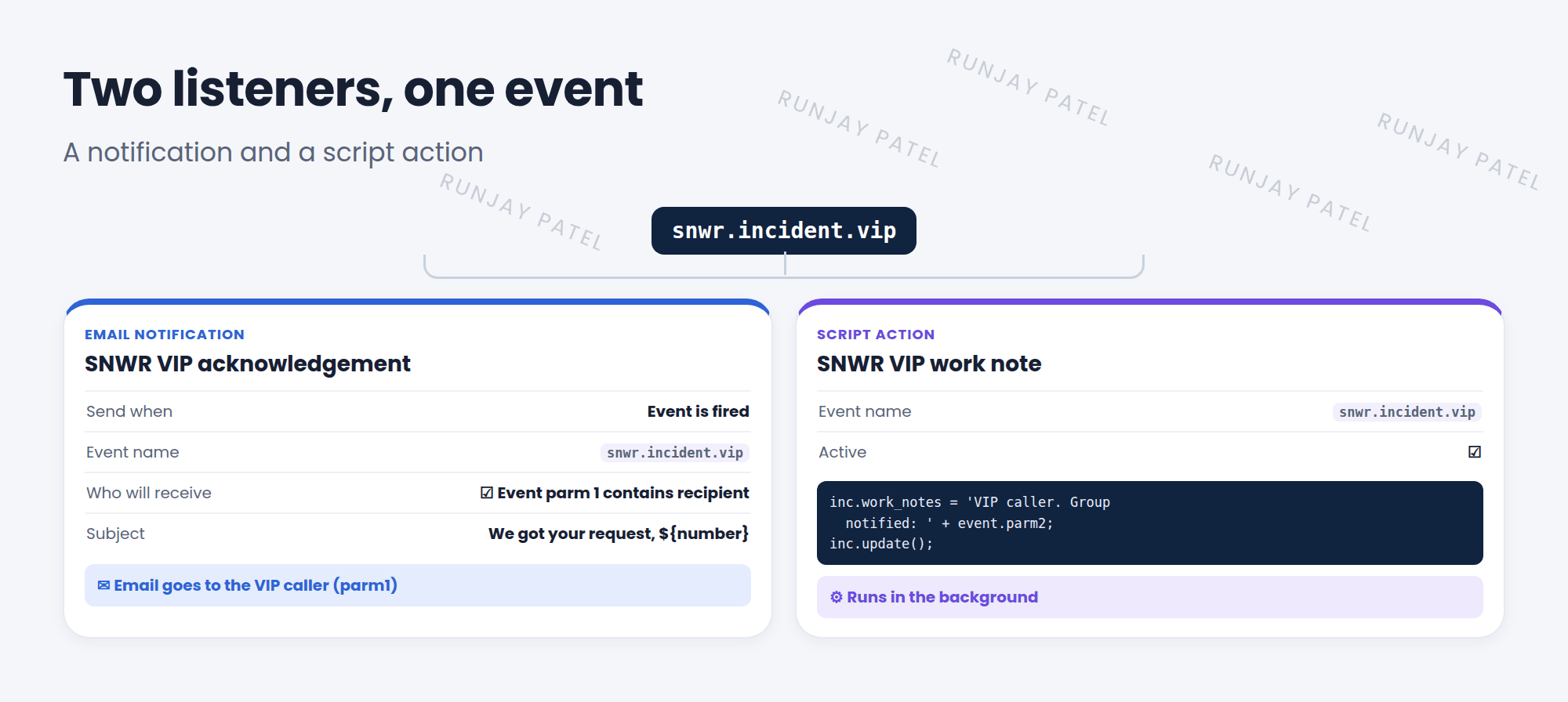
An event on its own does nothing. It needs a listener. The two most common listeners are notifications (send an email) and script actions (run a script). 👂
2 Event-based notifications
In Lesson 24.1, notifications sent when a record was inserted or updated. They can also send when an event is fired.
- Open the notification. On When to send, set Send when to Event is fired.
- Pick the Event name, like
snwr.incident.vip. - On Who will receive, check Event parm 1 contains recipient (or parm 2) to email the person passed in the event.
💡 Good to know: Events are great when the “who” isn’t a field on the record. The script that fires the event decides who to pass in parm1 or parm2.
3 Script actions
Key term: Script action
A server-side script that runs when a certain event is processed. Find them in System Policy > Events > Script Actions.
In a script action, you can use current (the record) and event (the event, with event.parm1 and event.parm2).
// Script action on snwr.incident.vip
var inc = new GlideRecord('incident');
if (inc.get(current.sys_id)) {
  inc.work_notes = 'VIP caller. Group notified: ' + event.parm2;
  inc.update();
}| Listener | Does | Good for |
|---|---|---|
| Notification | Sends an email | Telling people |
| Script action | Runs a server script | Background work after an event |
📝 Note: Script actions run in the background, like async business rules. The user who caused the event doesn’t wait for them.
⭐ Remember: Notification = email when an event fires. Script action = script when an event fires. Both use parm1 and parm2.
4 Let’s try it: a VIP email
- Create an after insert business rule on Incident with condition
current.caller_id.vip == true. Script: thegs.eventQueue()line from Lesson 41.1. - Create a notification: Send when Event is fired, Event name
snwr.incident.vip, check Event parm 1 contains recipient. Subject: “We got your request, ${number}”. - Create an incident for Riya (a VIP from Lesson 39.3).
- Check System Logs > Emails. Was an email sent to Riya?
5 Quick recap
- Notifications can send when an event is fired
- Event parm 1 / parm 2 contains recipient emails the people passed in the event
- Script actions run a script when an event is processed
- Script actions can use
currentandevent.parm1/event.parm2
6 Check yourself
Think of your answer first. Then tap to check.
1 Which “Send when” option lets a notification react to an event? Show answer
Event is fired.
2 In a script action, how do you read the second event parameter? Show answer
event.parm2
3 The email should go to the user passed in parm1. What do you check? Show answer
Event parm 1 contains recipient.
Nice work! You finished this lesson. 🎉
Was this lesson helpful?
Please log in to share lesson feedback.
Have a question or doubt?
Ask here and get help from instructors and fellow learners.
Only logged-in learners can post.





