


Deleted Records & Rollback
On this page
In this lesson, you will learn:
- How to find and restore deleted records
- What rollback contexts are
- How to undo a script’s changes
1 Oops, I deleted it!
Sam deleted the wrong knowledge article. 😱 Don’t panic. ServiceNow keeps a copy of deleted records, so you can bring them back.
Key term: Deleted Records
A list of deleted records, stored in sys_audit_delete. From there, you can undelete a record.
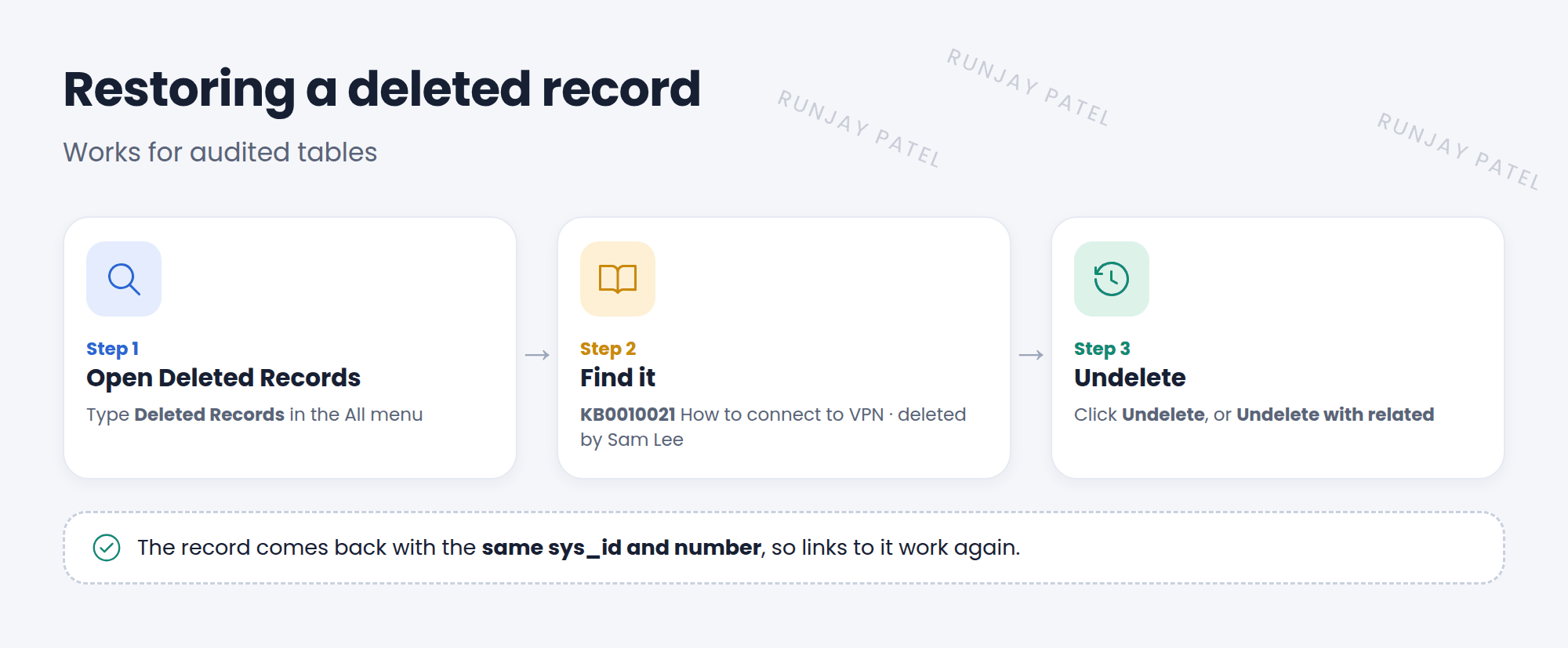
2 Restoring a deleted record
- Type Deleted Records in the All menu and open it.
- Filter by table or by who deleted it. Open the record.
- Click Undelete. If other records were deleted with it (like related records), use Undelete with related.
- The record comes back with its same sys_id, so references to it work again.
📝 Note: ServiceNow tracks deletes on most tables. Tables with the no_audit_delete dictionary attribute are skipped, so their deleted records can’t be restored this way.
3 Rollback contexts
Some actions record everything they change in a rollback context, so the whole action can be undone later.
| Action | How to undo it |
|---|---|
| A Scripts – Background run with Record for rollback checked | Open its Script Execution History and roll it back (Lesson 35.3) |
| A plugin activation | Find it in Rollback Contexts and roll it back |
⚠️ Heads up: Rolling back undoes everything in that context, including good changes made along the way. Check what’s in it before you click.
💡 Good to know: Prevention beats recovery. Test in snwrdev, use Record for rollback on risky scripts, and limit who has delete rights with ACLs (Chapter 42).
⭐ Remember: Deleted Records → Undelete. Rollback contexts → undo a whole script run or plugin activation.
4 Let’s try it: delete and restore
- Create a test incident: “Delete me please”. Note its number. Then delete it.
- Open Deleted Records. Find your incident.
- Open it and click Undelete.
- Search for the number in the incident list. Is it back?
5 Quick recap
- Deleted Records (
sys_audit_delete) lists deleted records you can restore - Undelete restores a record with the same sys_id
- Rollback contexts undo script runs and plugin activations
- Rollback undoes everything in the context. Check first
6 Check yourself
Think of your answer first. Then tap to check.
1 Which table stores deleted records that you can restore? Show answer
sys_audit_delete.
2 Does an undeleted record get a new sys_id? Show answer
No. It keeps the same sys_id, so references work again.
3 How can you undo a background script’s changes? Show answer
Run it with Record for rollback checked, then roll it back from its execution history.
Nice work! You finished this lesson. 🎉
Was this lesson helpful?
Please log in to share lesson feedback.
Have a question or doubt?
Ask here and get help from instructors and fellow learners.
Only logged-in learners can post.





