


CMDB Health & Maintenance
On this page
In this lesson, you will learn:
- What makes a CMDB healthy
- The CMDB Health dashboard and its three scores
- How ServiceNow stops duplicate CIs
1 A CMDB needs care
Servers get retired. Laptops change owners. Two tools report the same server with slightly different names. Without care, the CMDB fills with old and duplicate CIs, and people stop trusting it. 🧹
2 The CMDB Health dashboard
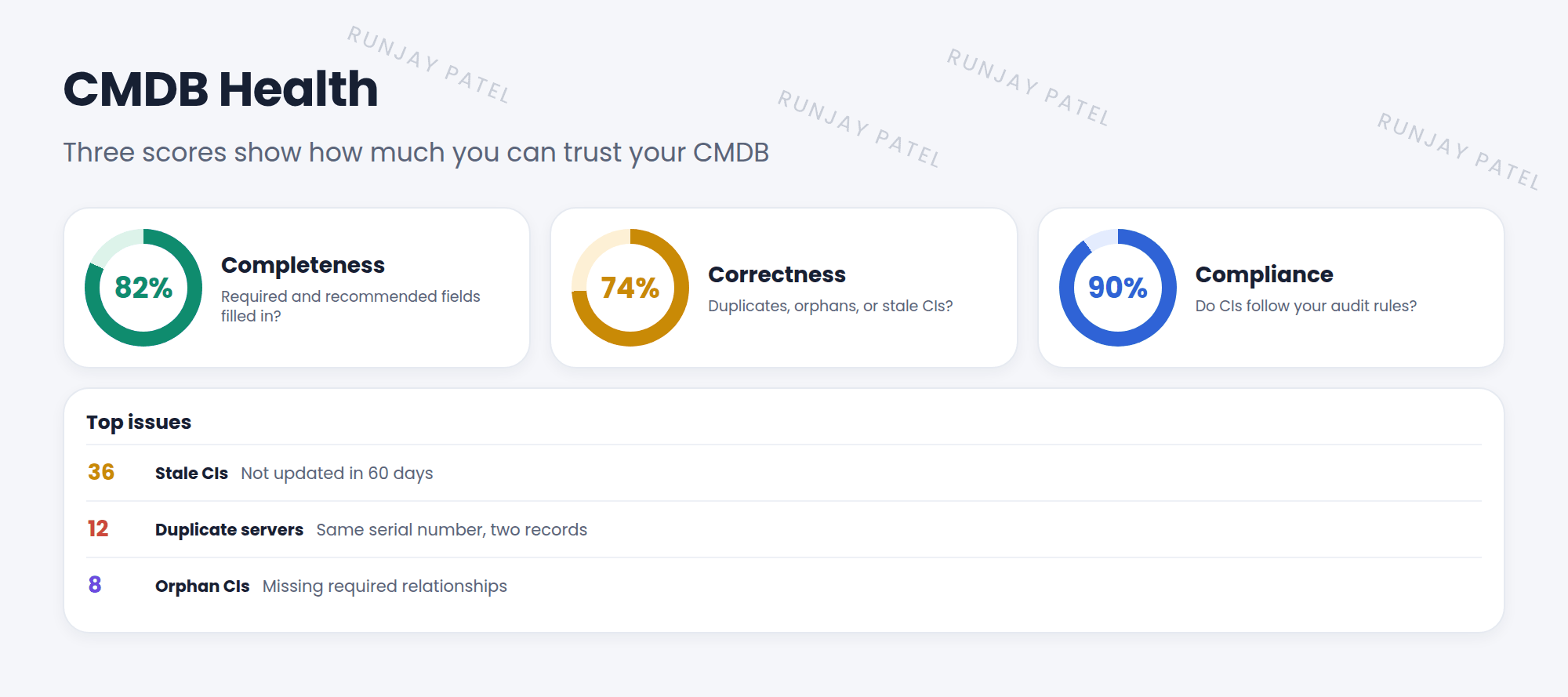
| Score | Checks |
|---|---|
| Completeness | Are required and recommended fields filled in? |
| Correctness | Are there duplicates, orphans (CIs with no needed relationships), or stale CIs (not updated for a long time)? |
| Compliance | Do CIs follow your audit rules, like “every server has an owner”? |
3 Stopping duplicates: IRE
Key term: IRE
Identification and Reconciliation Engine. Before a CI is created, it checks if the CI already exists (identification), and decides which source can update which fields (reconciliation).
- Identification rules say how to recognize a CI, like “a server with the same serial number is the same server”.
- Discovery, Service Graph Connectors, and imports can all send CIs through the IRE.
- Duplicates that slip through show up as de-duplication tasks to review.
4 Everyday maintenance
- Keep Status fields current. Retired servers should be marked retired, not deleted.
- Give every important CI an owner or support group.
- Use CMDB Data Manager policies to retire, archive, or delete stale CIs on a schedule.
⚠️ Heads up: Don’t delete CIs just to clean up. Old incidents and changes point to them. Retire or archive instead.
⭐ Remember: Health = Completeness + Correctness + Compliance. The IRE stops duplicates before they’re created.
5 Let’s try it: check your CMDB
- Open the CMDB Workspace or search for CMDB Health in the navigator.
- Look at the three scores. Which one is lowest?
- Open Configuration > CI Class Manager, pick Server, and look at its Identification Rule. Which fields identify a server?
6 Quick recap
- A healthy CMDB is complete, correct, and compliant
- Watch for duplicates, orphans, and stale CIs
- The IRE uses identification rules to stop duplicates
- Retire or archive old CIs. Don’t just delete them
7 Check yourself
Think of your answer first. Then tap to check.
1 Name the three CMDB Health scores. Show answer
Completeness, Correctness, and Compliance.
2 What does the IRE do? Show answer
It identifies existing CIs to prevent duplicates, and reconciles which source can update which fields.
3 A server was turned off for good. Should you delete its CI? Show answer
No. Mark it retired (or archive it), because old records point to it.
Nice work! You finished this lesson. 🎉
Was this lesson helpful?
Please log in to share lesson feedback.
Have a question or doubt?
Ask here and get help from instructors and fellow learners.
Only logged-in learners can post.





