


Client Script Basics & g_form
On this page
In this lesson, you will learn:
- What a client script is
- The key fields on a client script
- The most useful g_form and g_user methods
1 Scripts that run on the form
UI policies handle mandatory, visible, and read only. But what if you want to set a value, show a warning, or check something before saving? That’s where client scripts come in. 🖥️
Key term: Client script
JavaScript that runs in the browser on a form (or list). It reacts to the form loading, a field changing, the form being submitted, or a list cell being edited.
2 Key fields
| Field | What it does |
|---|---|
| Name and Table | What it’s called, and which table’s form it runs on |
| UI Type | Desktop, Mobile / Service Portal, or All |
| Type | onLoad, onChange, onSubmit, or onCellEdit |
| Field name | For onChange and onCellEdit: which field to watch |
| Inherited | Also runs on tables that extend this one |
| Global | Runs on all views. Uncheck it to pick one view |
📝 Note: Find client scripts in System Definition > Client Scripts. You can also right-click a form header and choose Configure > Client Scripts.
3 g_form: your form helper
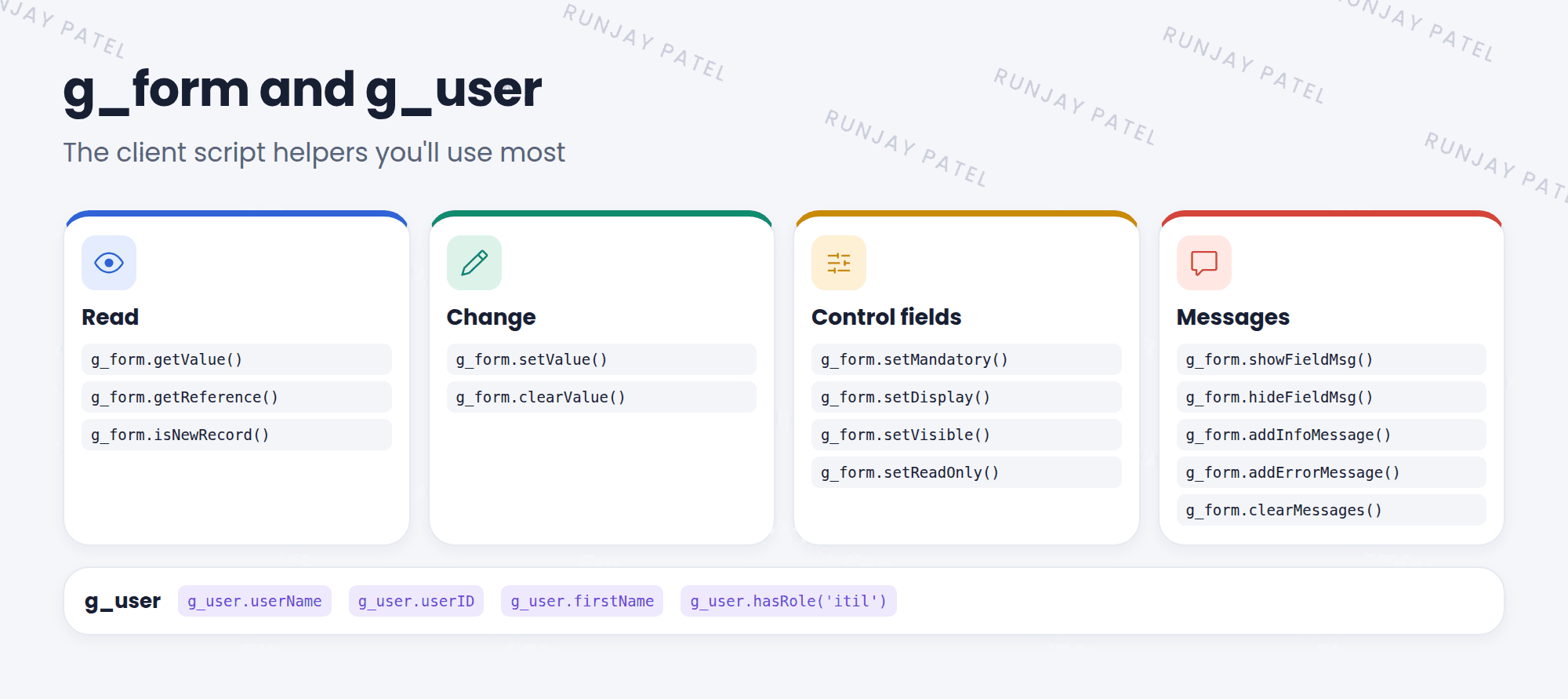
var cat = g_form.getValue('category');           // read a value
g_form.setValue('impact', '2');                  // set a value
g_form.setMandatory('cmdb_ci', true);            // make mandatory
g_form.setDisplay('subcategory', false);        // hide (no gap left)
g_form.showFieldMsg('cmdb_ci', 'Pick the router', 'info');
g_form.addErrorMessage('Something is missing!');

if (g_user.hasRole('itil')) {                    // who is the user?
  g_form.addInfoMessage('Hi, ' + g_user.firstName);
}
💡 Good to know: setDisplay(false) hides a field and closes the gap. setVisible(false) hides it but leaves an empty space.
⚠️ Heads up: Always use the field’s column name (like cmdb_ci), not its label (like “Configuration item”).
⭐ Remember: Client script = browser. Four types: onLoad, onChange, onSubmit, onCellEdit. Use g_form and g_user.
4 Let’s try it: say hello
- Go to System Definition > Client Scripts and click New.
- Name: SNWR hello. Table: Incident. UI Type: All. Type: onLoad.
- Inside the function, add:
g_form.addInfoMessage('Hi ' + g_user.firstName + '!');Submit. - Open any incident. Do you see your message at the top?
5 Quick recap
- A client script runs JavaScript in the browser
- Types: onLoad, onChange, onSubmit, onCellEdit
g_formreads and changes the formg_usergives info about the user, likehasRole()- Use column names, not labels
6 Check yourself
Think of your answer first. Then tap to check.
1 Name the four client script types. Show answer
onLoad, onChange, onSubmit, and onCellEdit.
2 Which g_form method shows a message under one field? Show answer
showFieldMsg().
3 How do you check if the user has the itil role in a client script? Show answer
g_user.hasRole(‘itil’).
Nice work! You finished this lesson. 🎉
Was this lesson helpful?
Please log in to share lesson feedback.
Have a question or doubt?
Ask here and get help from instructors and fellow learners.
Only logged-in learners can post.





