


Mock Exam & Exam-Day Tips
On this page
In this lesson, you will learn:
- How to run a realistic mock exam
- How to manage your time on exam day
- What to check before, during, and after the exam
1 A full mock exam
A mock exam trains your timing, not just your memory. Make it feel real. ⏱️
- Collect 60 practice questions across all six domains. Use your own notes, the Check yourself questions in this course, and official practice material if you have it.
- Set a timer for 90 minutes. No notes, no PDI, no phone.
- Answer every question. Flag the ones you’re unsure about, and come back at the end.
- Mark it. For every miss, write down the domain and the lesson to revisit.
💡 Good to know: 60 questions in 90 minutes is about 1.5 minutes per question. If a question takes more than 2 minutes, flag it and move on.
2 Exam day
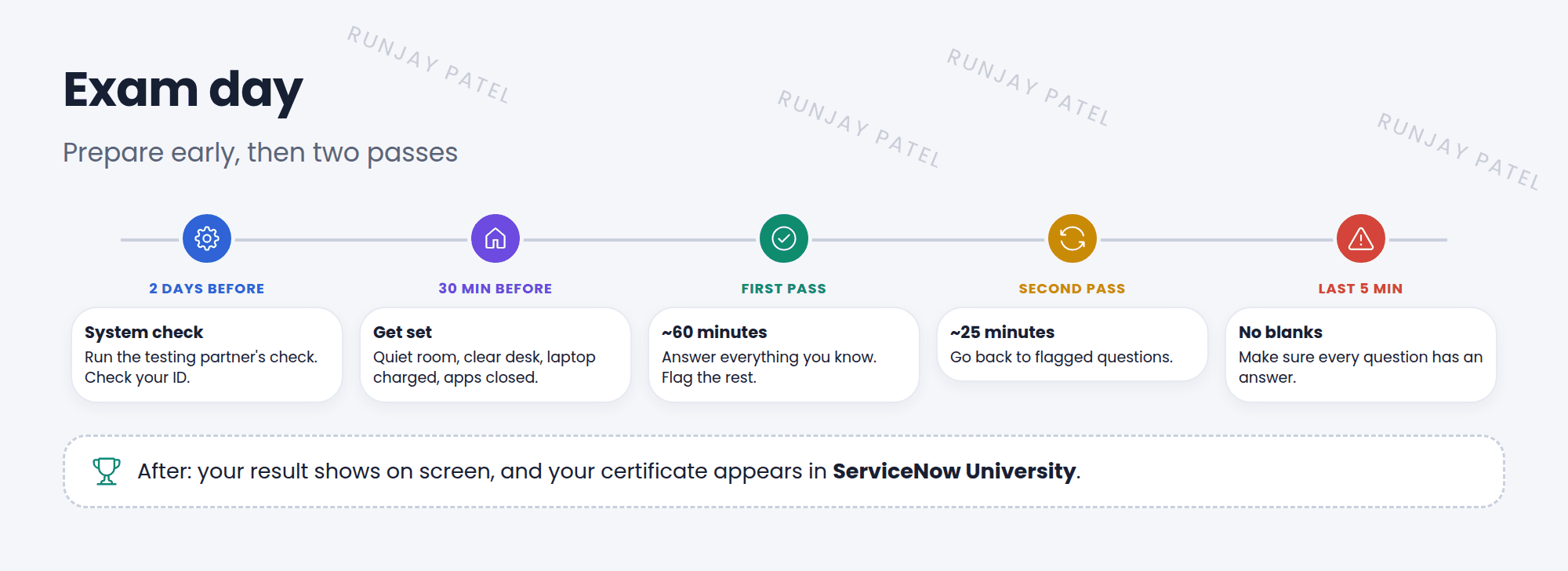
| When | Checklist |
|---|---|
| Days before | Run the testing partner’s system check (online exams). Check your ID matches your registration name |
| Just before | Quiet room, clear desk, charged laptop, other apps closed. Log in early |
| During | First pass: answer what you know, flag the rest. Second pass: flagged questions. Never leave a question blank |
| After | Your result shows right away. If you pass, your certificate appears in ServiceNow University |
⚠️ Heads up: In an online proctored exam, looking away often, talking, or having notes or a second screen nearby can end your exam. Read the testing rules before the day.
3 After you pass
- Add the certification to your CV and professional profiles. 🎉
- Keep it active: ServiceNow asks certified people to keep up with new releases. Check the current maintenance rules in ServiceNow University.
- Keep learning: the Application Developer path and implementation specialist certifications build on what you know now.
📝 Note: If you don’t pass, your result shows how you did in each domain. Use it to focus your next round of revision. Many great admins passed on their second try!
⭐ Remember: Practice with a timed mock exam. On the day: system check, two passes, no blanks. Afterwards: keep your certification active.
4 Let’s try it: book your mock exam
- Pick a 90-minute slot this week and put it in your calendar.
- Gather 60 questions across the six domains.
- Take the mock exam with a timer. Score it, and list the lessons to revisit.
- When you score well twice in a row, book the real exam!
5 Quick recap
- Take a timed 60-question, 90-minute mock exam
- About 1.5 minutes per question. Flag and move on
- Run the system check and check your ID before the day
- Two passes, and never leave a question blank
- Keep your certification active after you pass
6 Check yourself
Think of your answer first. Then tap to check.
1 About how long should you spend on each question? Show answer
About 1.5 minutes.
2 What should you run a few days before an online exam? Show answer
The testing partner’s system check.
3 You’re stuck on a question after 2 minutes. What should you do? Show answer
Pick your best guess, flag it, and move on. Come back later.
Congratulations! You finished the whole ServiceNow Fundamentals course. 🎉🏆
Was this lesson helpful?
Please log in to share lesson feedback.
Have a question or doubt?
Ask here and get help from instructors and fellow learners.
Only logged-in learners can post.





