


ACL Conditions & Scripts
On this page
In this lesson, you will learn:
- How to use conditions in an ACL
- How to write an ACL script
- When to use a condition, and when to use a script
1 Beyond roles
Roles answer “who is this user?” But sometimes access depends on the record. “Callers can edit their incident, but only while it’s still open.” Or: “Users can read their own requests.” That’s what conditions and scripts are for. 🎯
2 Conditions
A condition uses the normal condition builder. The ACL only grants access for records that match.
| Condition | Means |
|---|---|
| Active is true | Only open records |
| Caller is (dynamic) Me | Only records where you’re the caller |
| Assignment group is (dynamic) One of My Groups | Only your team’s records |
3 Scripts
Check Advanced to see the script box. The script must set the variable answer to true or false.
// Callers can edit their own incident while it's New or In Progress
answer = (current.caller_id == gs.getUserID()) &&
         (current.state == 1 || current.state == 2);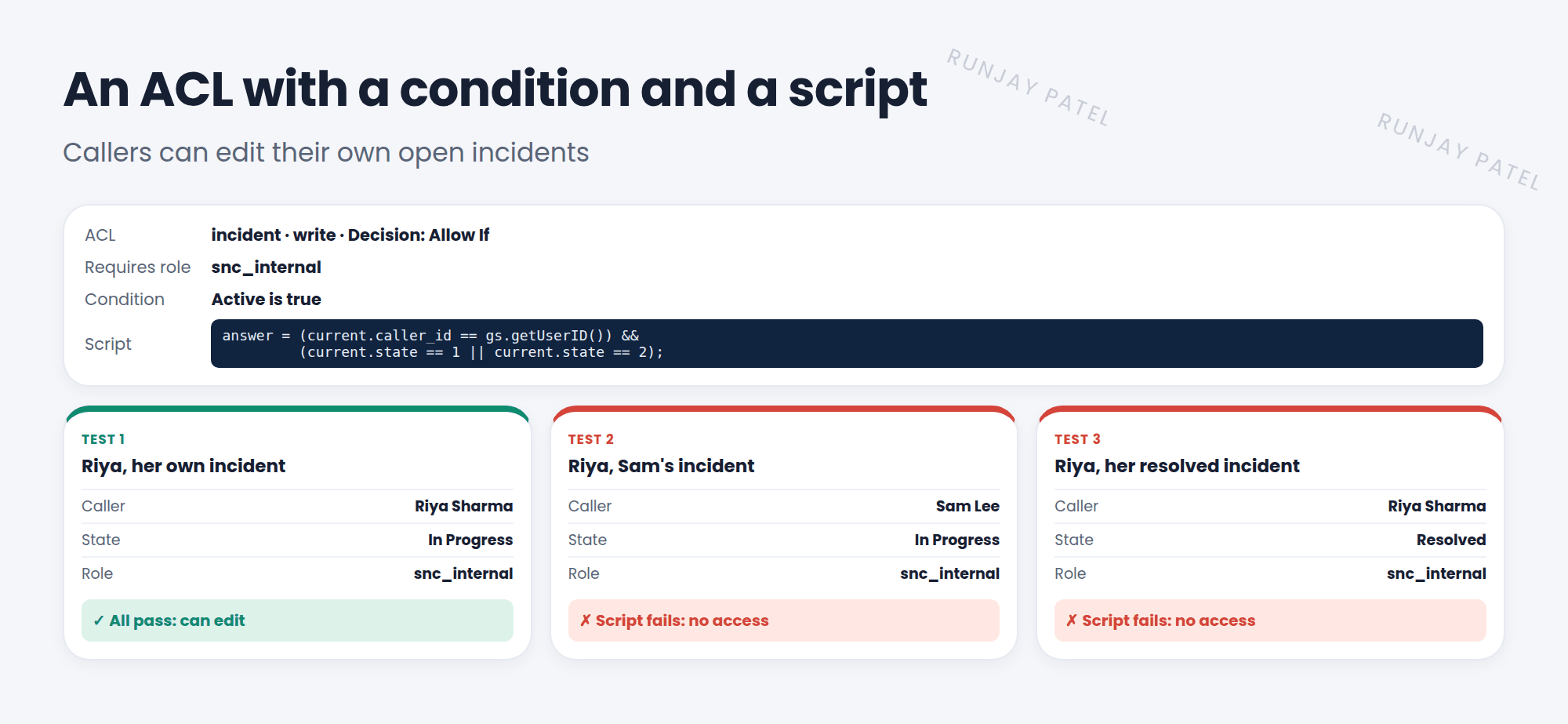
💡 Good to know: Prefer a condition when you can. It’s easier to read and faster. Use a script only for logic a condition can’t express.
⚠️ Heads up: ACL scripts run a lot, for every record in a list. Keep them short, and avoid GlideRecord queries inside them. Slow ACLs make slow lists.
📝 Note: In ACL scripts, current is the record being checked. For table-level create ACLs, the record may not exist yet, so be careful using its fields.
⭐ Remember: Condition = no-code record filter. Script = set answer to true or false. Roles AND condition AND script must all pass.
4 Let’s try it: callers edit their own
- Elevate to security_admin. Create a new ACL: Type record, Operation write, Name Incident (– None –).
- Required role: snc_internal. Condition: Active is true.
- Check Advanced. Paste the script above. Submit.
- Impersonate Riya. Open one of her open incidents, then one of Sam’s. Which can she edit?
5 Quick recap
- Conditions limit access to matching records, with no code
- Scripts set
answerto true or false - Use conditions first, scripts only when needed
- Keep ACL scripts short and fast
6 Check yourself
Think of your answer first. Then tap to check.
1 Which variable must an ACL script set? Show answer
answer.
2 Which checkbox shows the script box on an ACL? Show answer
Advanced.
3 Why avoid GlideRecord queries in ACL scripts? Show answer
ACLs run for every record, so slow scripts make forms and lists slow.
Nice work! You finished this lesson. 🎉
Was this lesson helpful?
Please log in to share lesson feedback.
Have a question or doubt?
Ask here and get help from instructors and fellow learners.
Only logged-in learners can post.





