


Tables, Records & Fields
On this page
In this lesson, you will learn:
- How tables, records, and fields fit together (a deeper look)
- The difference between a table’s label and its name
- What the sys_id and other system fields are
1 Welcome to the Advanced track
In the Basic track, you learned that everything in ServiceNow is saved in tables. Now we’ll look under the hood: how tables are built, how they connect, and how admins control them. 🔧
⭐ Quick refresher: Table = the whole list. Record = one row. Field = one column. (Lesson 1.1)
2 Labels and names
Every table and field has two names:
| Label (for people) | Name (for the system) | |
|---|---|---|
| Table | Incident | incident |
| Table | User | sys_user |
| Field | Short description | short_description |
| Field | Assigned to | assigned_to |
- The label is what users see on forms and lists. It can be changed.
- The name is used in URLs, filters, and scripts. It never changes after creation.
- Custom tables and fields you create start with
u_(in the global scope), likeu_floor_number.
3 System fields
Every record gets some fields automatically. They start with sys_:
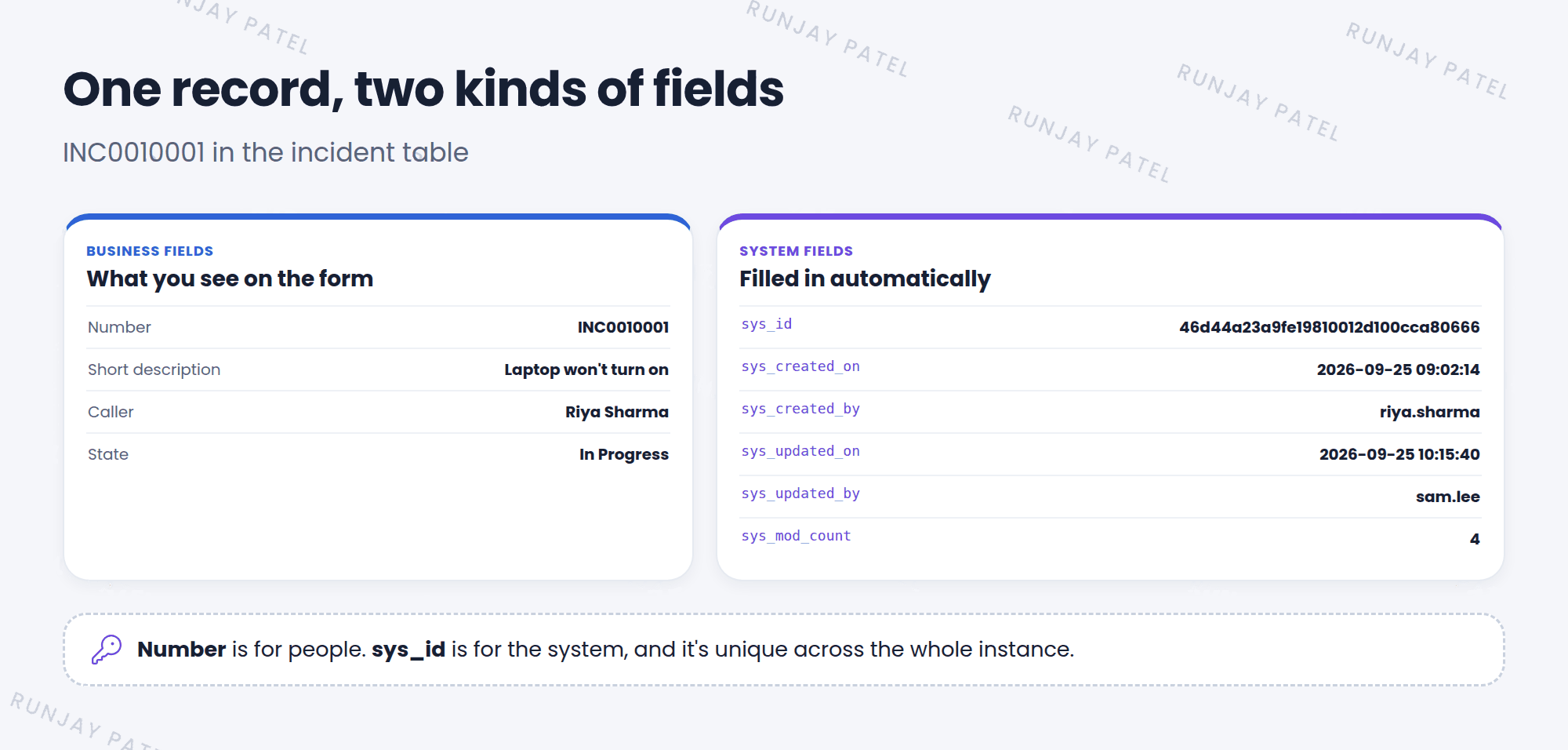
| Field | What it holds |
|---|---|
sys_id |
A unique 32-character ID for the record |
sys_created_on / sys_created_by |
When, and by whom, the record was created |
sys_updated_on / sys_updated_by |
When, and by whom, it was last changed |
sys_mod_count |
How many times it has been updated |
💡 Good to know: The Number (like INC0010001) is for people. The sys_id is for the system. Two records can never share a sys_id, even in different tables.
4 Let’s try it: peek at system fields
- Open any incident list. Personalize the list to add Created, Updated by, and Updates.
- Open an incident, right-click the header, and choose Copy sys_id.
- Right-click a field label on the form, like Short description. Choose Show – ‘short_description’ (or Configure Dictionary) to see its system name.
5 Quick recap
- Tables and fields have a label (for people) and a name (for the system)
- Custom names start with
u_in global scope - Every record has system fields starting with
sys_ - The
sys_idis a unique 32-character ID
6 Check yourself
Think of your answer first. Then tap to check.
1 What’s the system name of the User table? Show answer
sys_user.
2 Which field tells you who last changed a record? Show answer
sys_updated_by.
3 You create a field called “Floor number” in global scope. What will its name likely start with? Show answer
u_, like u_floor_number.
Nice work! You finished this lesson. 🎉
Was this lesson helpful?
Please log in to share lesson feedback.
Have a question or doubt?
Ask here and get help from instructors and fellow learners.
Only logged-in learners can post.





