To delete multiple records using background scripts in ServiceNow, you can use the GlideRecord API in a script.
Follow below step-by-step guide.
- Navigate to “Scripts – Background”: In the left navigation pane, type Scripts – Background and select the module.
- Write your Script: In the script editor, you can write a
GlideRecordquery to retrieve the records you want to delete and then use thedeleteRecord()/deleteMultiple()function to delete them. 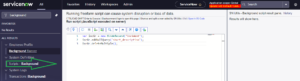
Example Script
// GlideRecord to target the desired table
var gr = new GlideRecord('your_table_name');

// Query for the records you want to delete
gr.addQuery('field_name', 'value'); // Modify this line to filter records
gr.query();

// Loop through the matched records and delete them
while (gr.next()) {
  gs.print('Deleting record: ' + gr.sys_id); // Optional: Prints sys_id of the record being deleted
  gr.deleteRecord();
}

gs.print('Deletion complete.');
Explanation:
- GlideRecord: Used to query the database.
addQuery(): Adds filters to select the records you want to delete (replacefield_nameandvaluewith actual column and value).query(): Executes the query.deleteRecord(): Deletes the record.gs.print(): Prints the deleted records’sys_idin the log (optional).
var gr = new GlideRecord('incident');
gr.addQuery('state', 'closed');
gr.query();

while (gr.next()) {
  gs.print('Deleting record: ' + gr.number);
  gr.deleteRecord();
}

gs.print('Deletion complete.');
Best way to delete multiple record in ServiceNow
var incGr = new GlideRecord('incident');
    incGr.addNullQuery('short_description');
    incGr.deleteMultiple();
Note:
- Test on a Subset: Before running this on a large set of records, always test it on a smaller subset to ensure the script behaves as expected.
- Permissions: Ensure you have the necessary permissions to delete records in the target table.